
PC/SMARTPHONE ver1.9.9-11 Announcement
Update information
Version: 1.9.9-11
New Features
| PC browser version Common to mobile versions |
|
|---|
Corrections/improvements
| PC browser version Common to mobile versions |
|
|---|
Version: 1.9.8-7
Corrections and Improvements
| PC browser version Common to mobile versions |
|
|---|
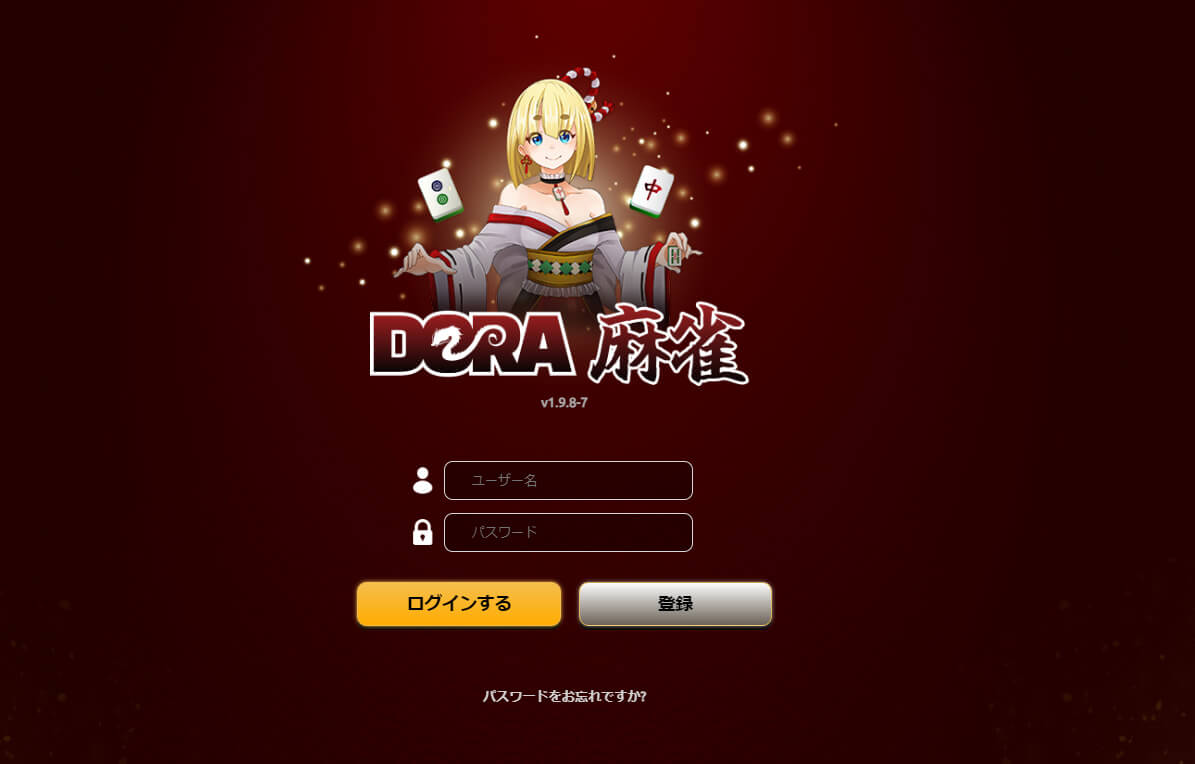
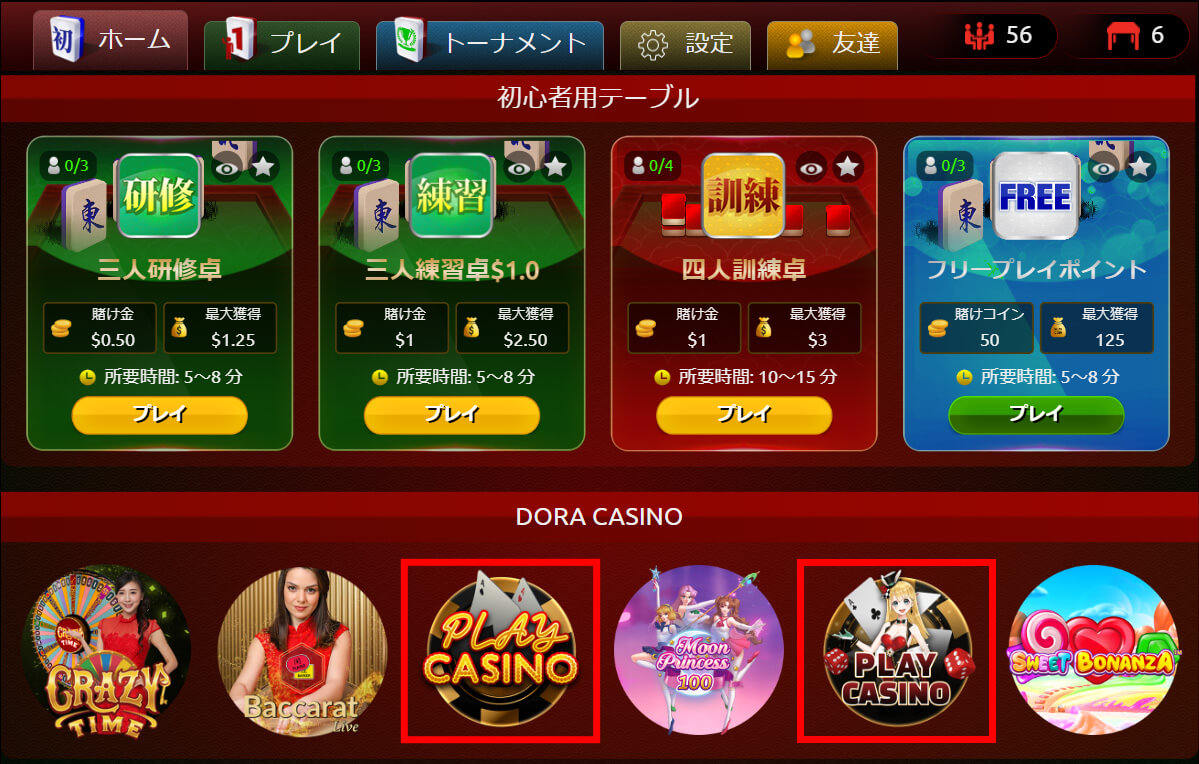
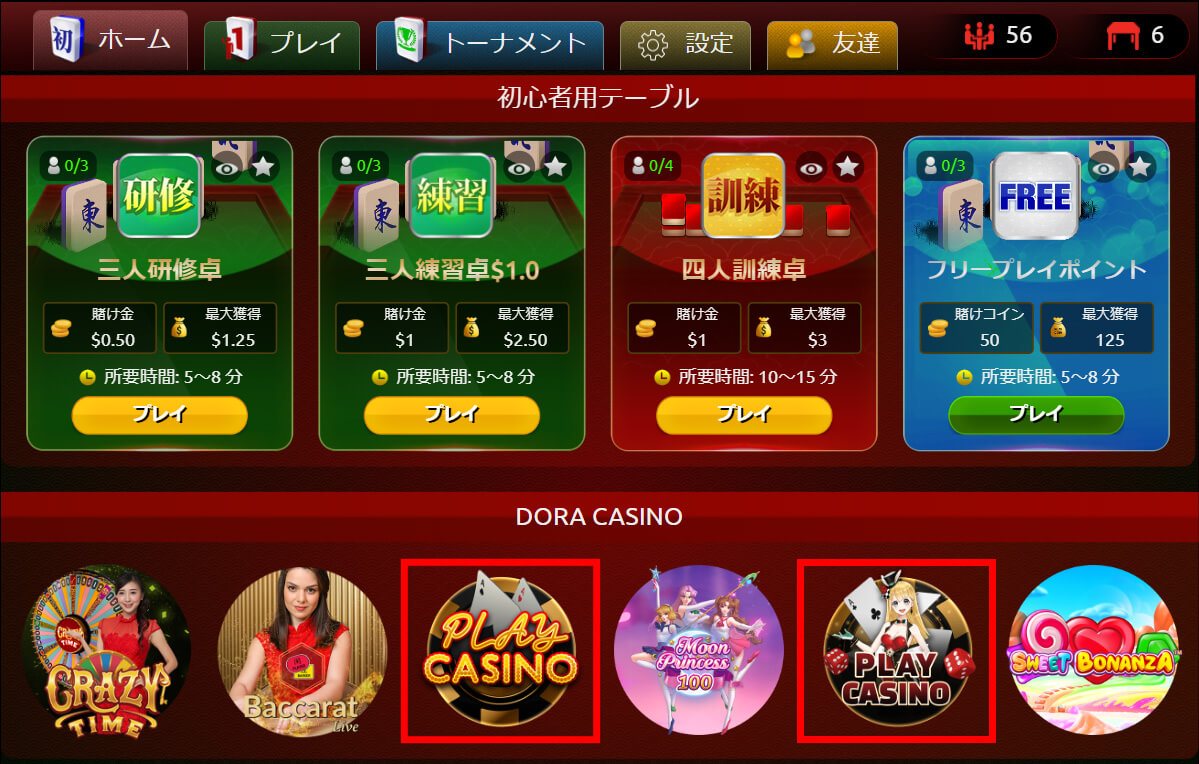
DORA CASINO> Select "Play CASINO" on the home screen to go to the casino home screen.
Version: 1.9.7-6
New Features
| PC browser version Common to mobile versions |
|
|---|
Corrections/improvements
| PC browser version Common to mobile versions |
|
|---|
Version: 1.9.7-3
New Features
| PC browser version Common to mobile versions |
|
|---|
1. Add a "play casino" button to the Mahjong lobby.
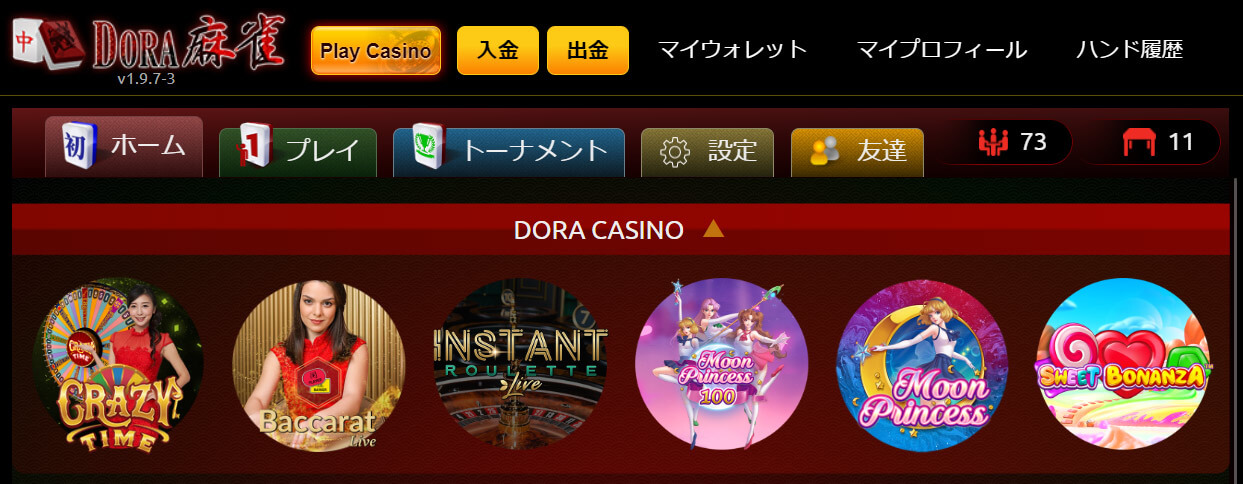
2. Add a "Casino" and "Mahjong" button to the Casino lobby.

Version: 1.9.6-9
What's New
| PC browser version Common to mobile versions |
|
|---|
You can play casino games at DORA Mahjong
Version: 1.9.5-9
Corrections and Improvements
| PC browser version Common to mobile versions |
|
|---|
Version: 1.9.5-7
Corrections and Improvements
| PC browser version Common to mobile versions |
|
|---|
Version: 1.9.5-6
What's New
| PC browser version Common to mobile versions |
|
|---|
Corrections and Improvements
| PC browser version Common to mobile versions |
|
|---|
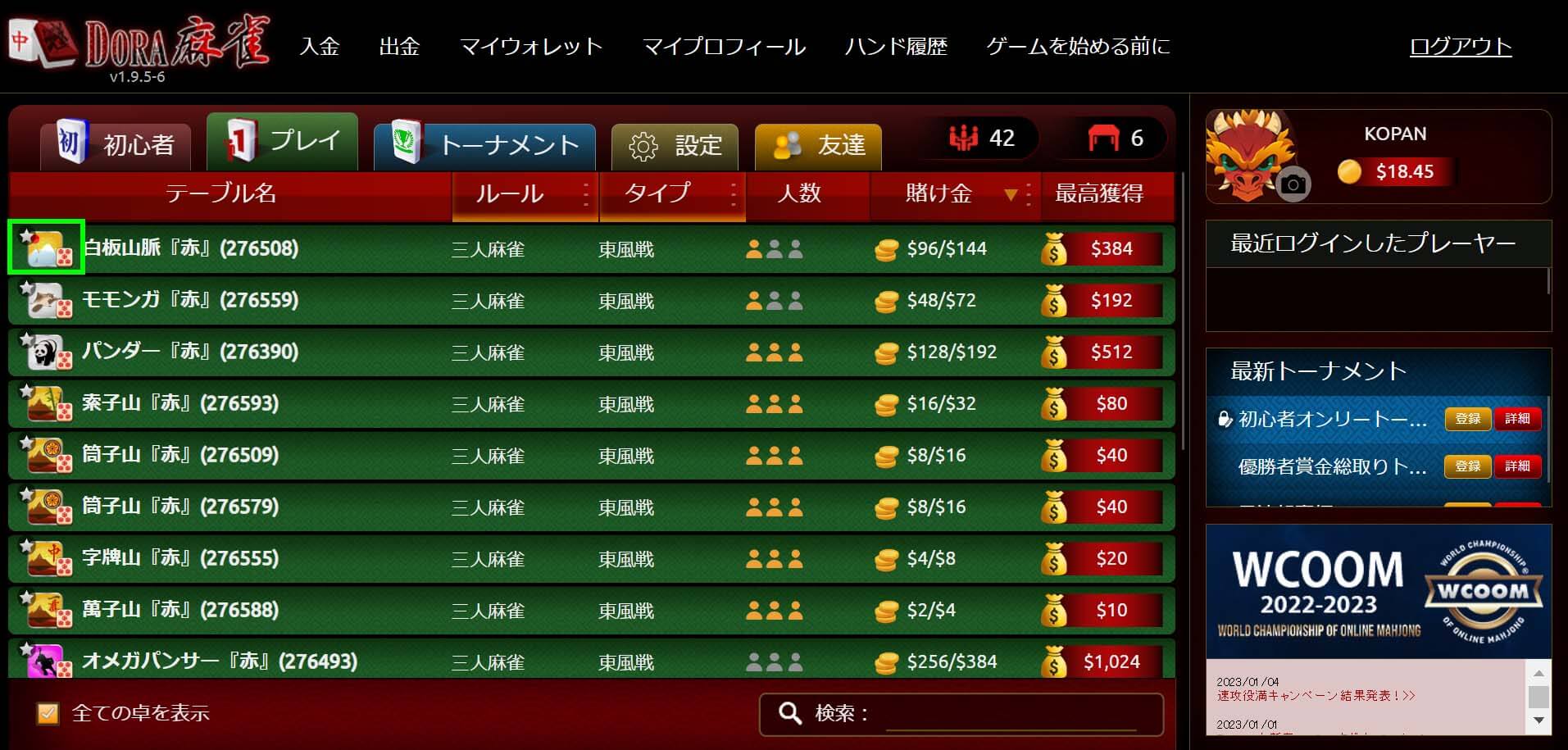
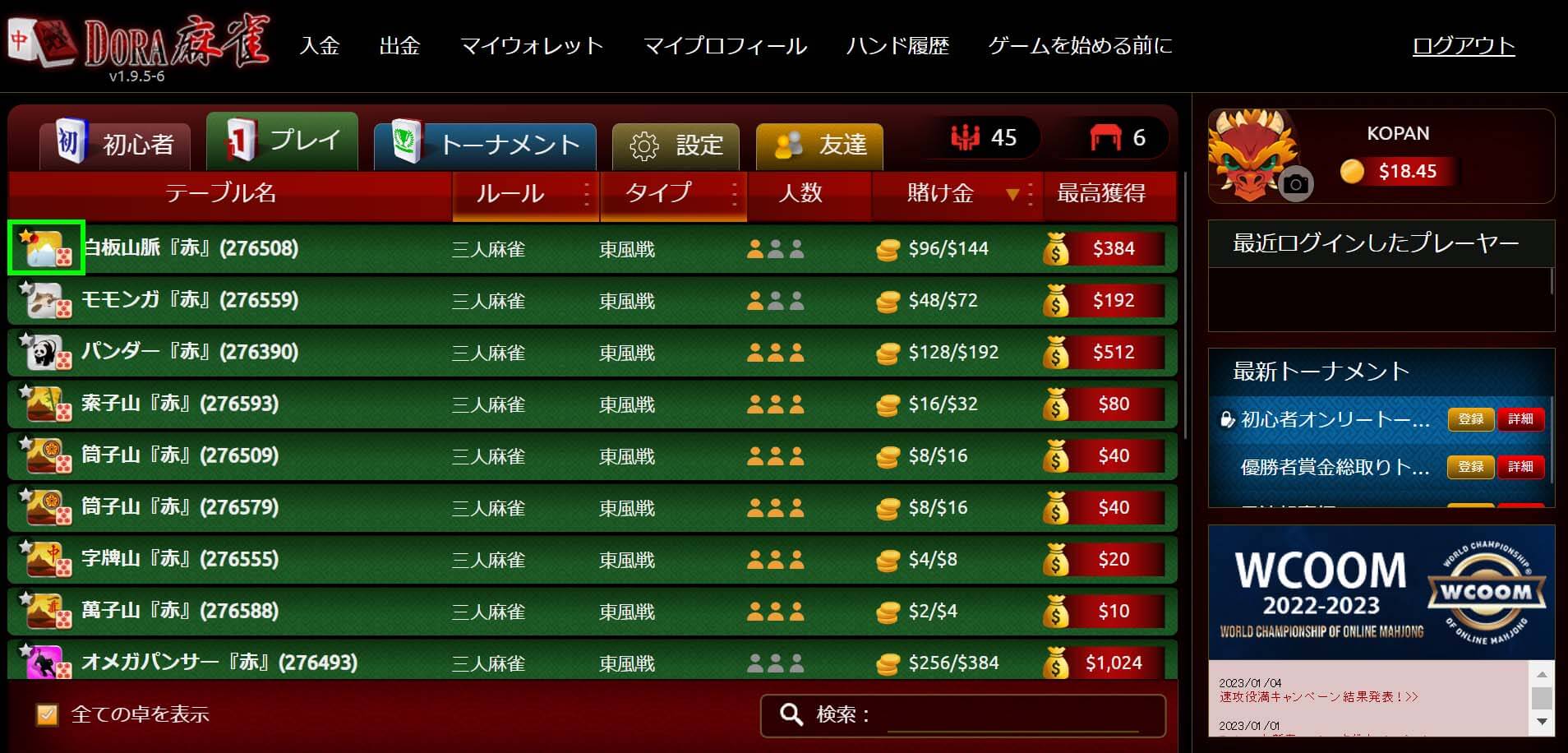
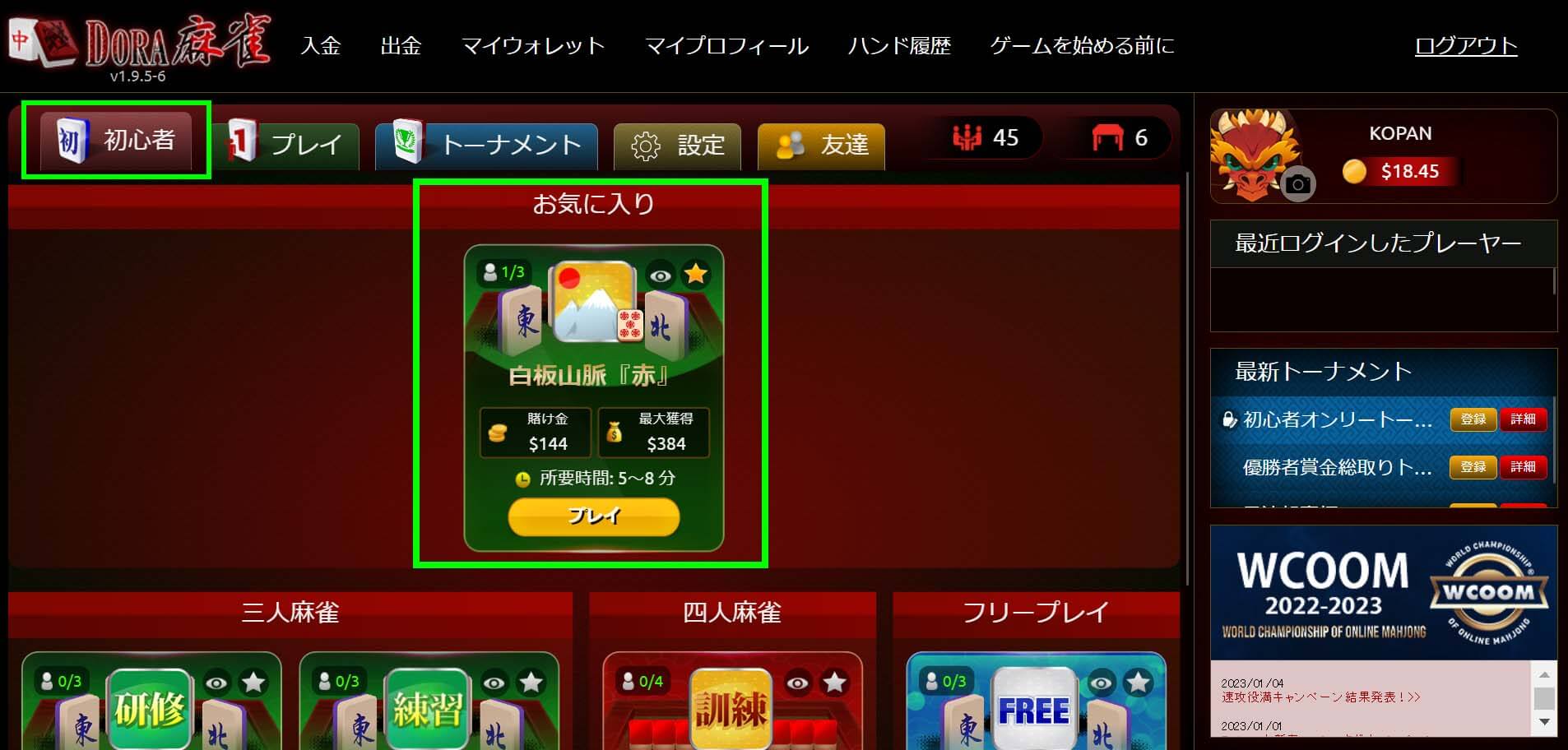
- Click "★" in the upper left corner of the table
- to add it to your favorites. You can view your favorite tables in the beginner lobby.
Version: 1.9.4+14
Corrections and Improvements
| PC browser version Common to mobile versions |
|
|---|
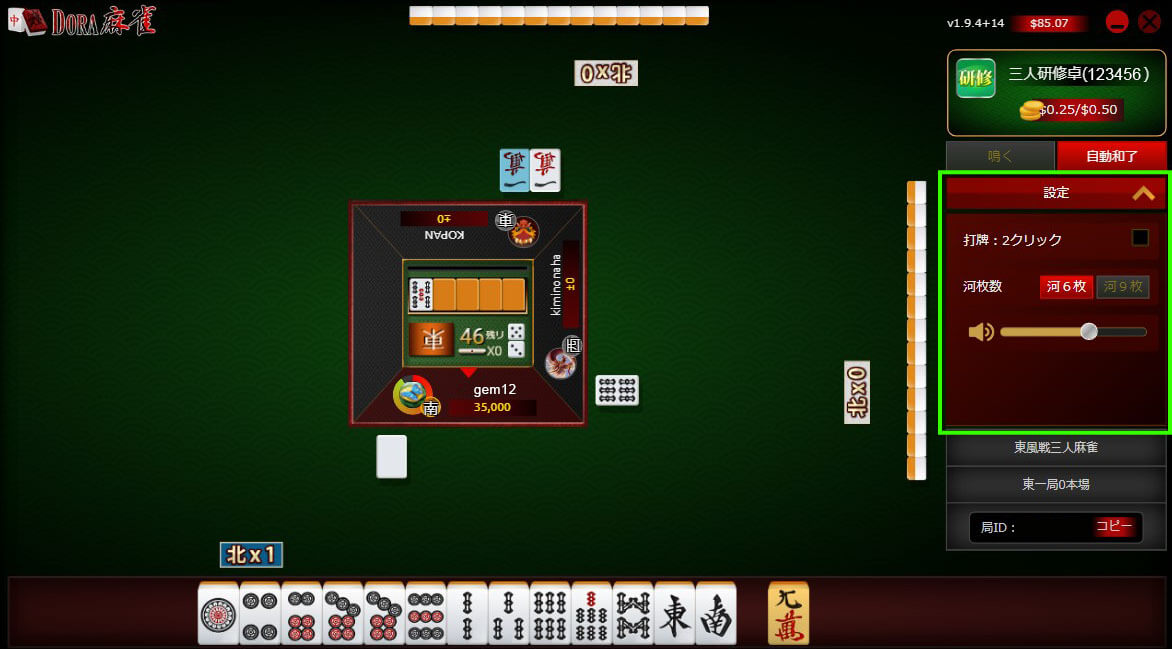
- Switch the number of clicks to discard a tile
- Switch the number of tiles to display in the river (discarded tiles)
- Adjust the volume
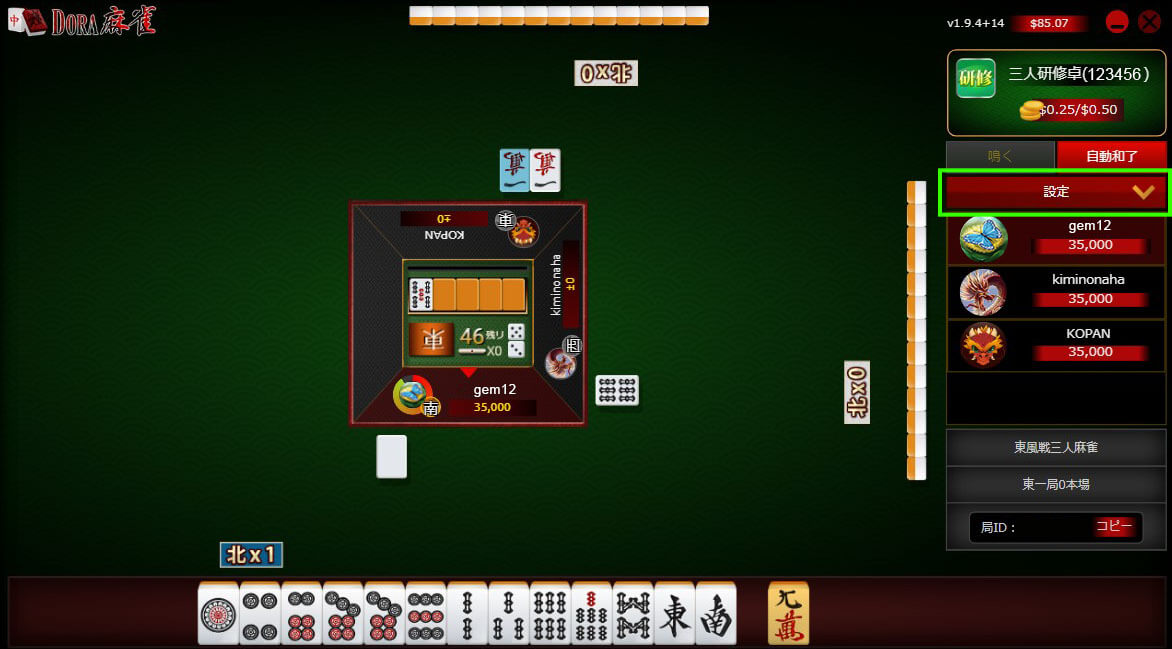
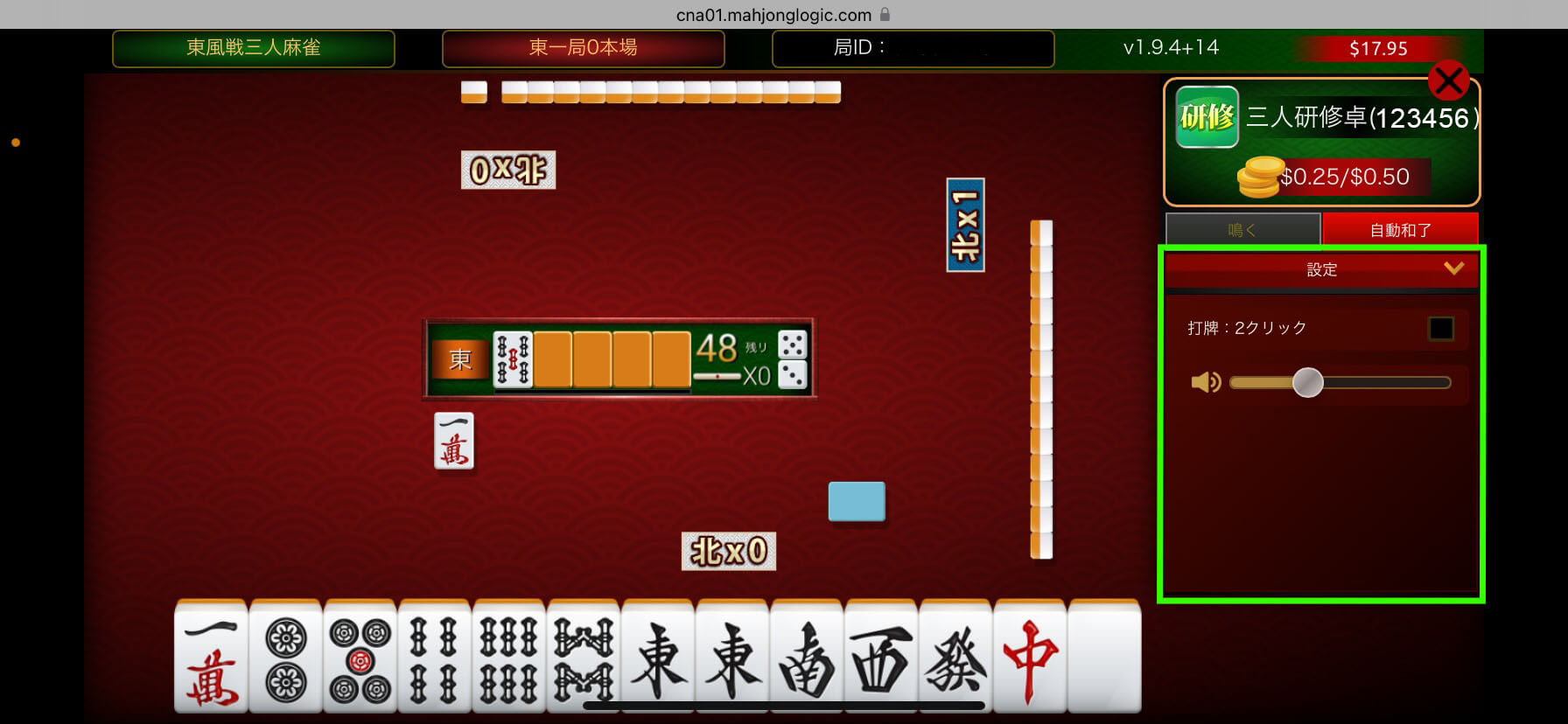
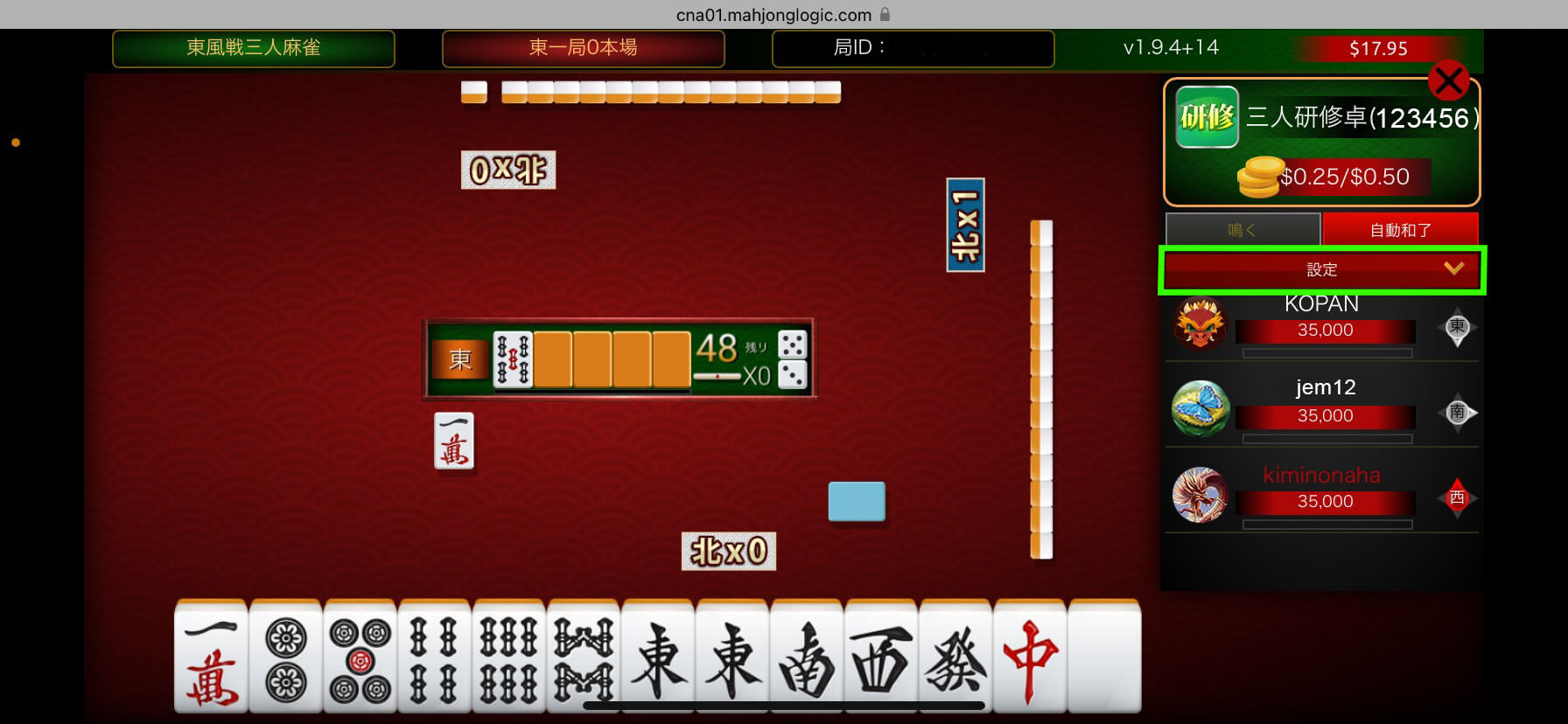
- Switch the number of clicks for playing tiles
- Adjust the volume
Version: 1.9.4+12
New Features
| PC browser version |
|
|---|
Corrections and Improvements
| PC browser version Common to mobile versions |
|
|---|
Version: 1.9.4+8
Corrections and Improvements
| PC browser version Common to mobile versions |
|
|---|
Version: 1.9.3+6
Corrections and Improvements
| PC browser version Common to mobile versions |
|
|---|
Version: 1.9.3+1
New Features
| PC browser version Common to mobile versions |
|
|---|
Corrections and Improvements
| PC browser version Common to mobile versions |
|
|---|
Version: 1.9.2+2
New Features
| PC browser version |
|
|---|
Corrections and Improvements
| PC browser version Common to mobile versions |
|
|---|
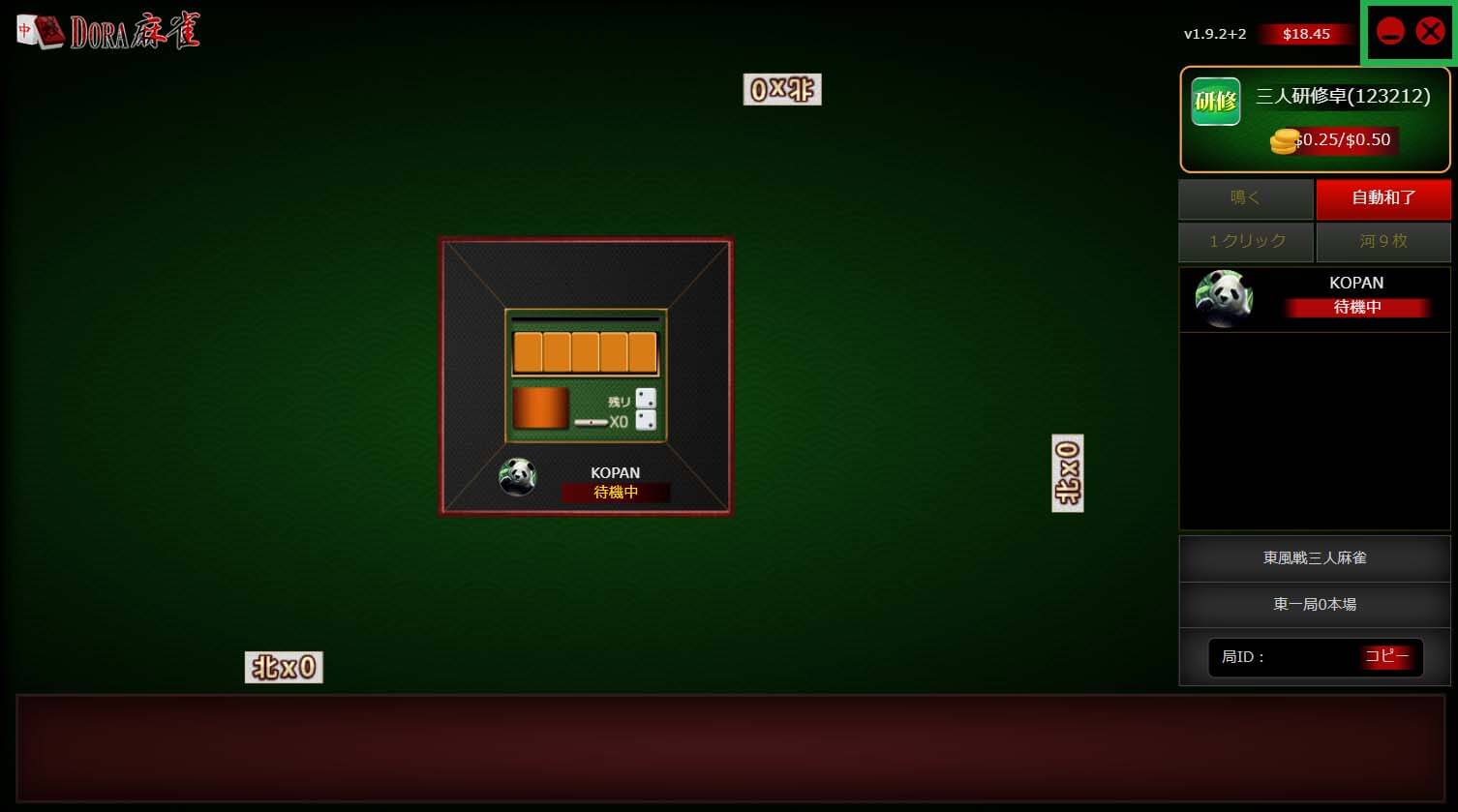
- You can now reserve and leave tables with one click.
- "X" leaves a table,
- "-" reserves a table (adds to table list)
- *Please note that the "Add to table list" popup will not appear.
Version: 1.9.1+6
Corrections and Improvements
| PC browser version Common to mobile versions |
|
|---|
Version: 1.9.1+5
Corrections and Improvements
| PC browser version Common to mobile versions |
|
|---|
Version: 1.9.1+1
Corrections and Improvements
| PC browser version Common to mobile versions |
|
|---|
Version: 1.9.0+3
New Features
| PC browser version Mobile version |
|
|---|
Corrections and Improvements
| PC browser version Mobile version |
|
|---|
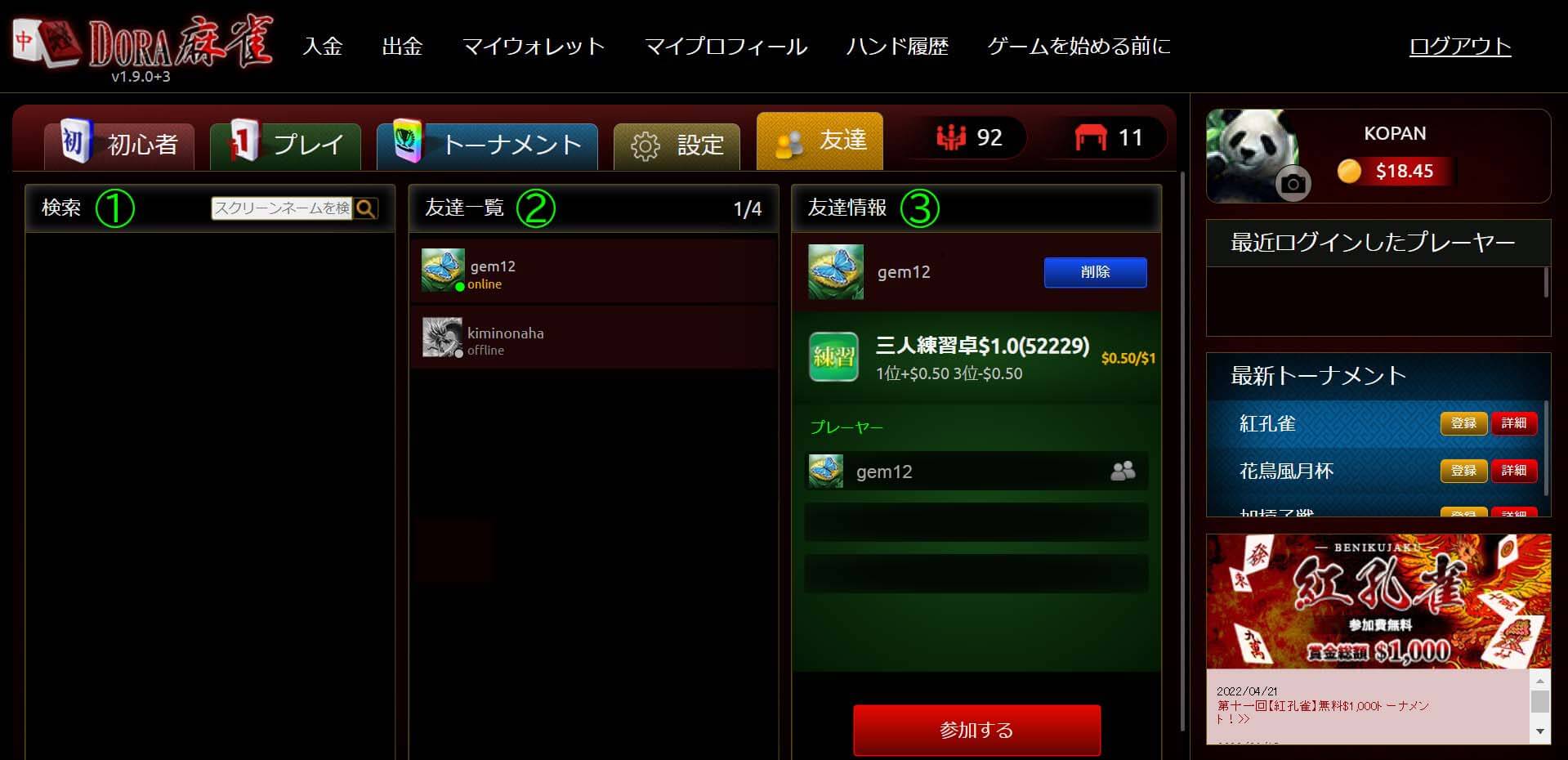
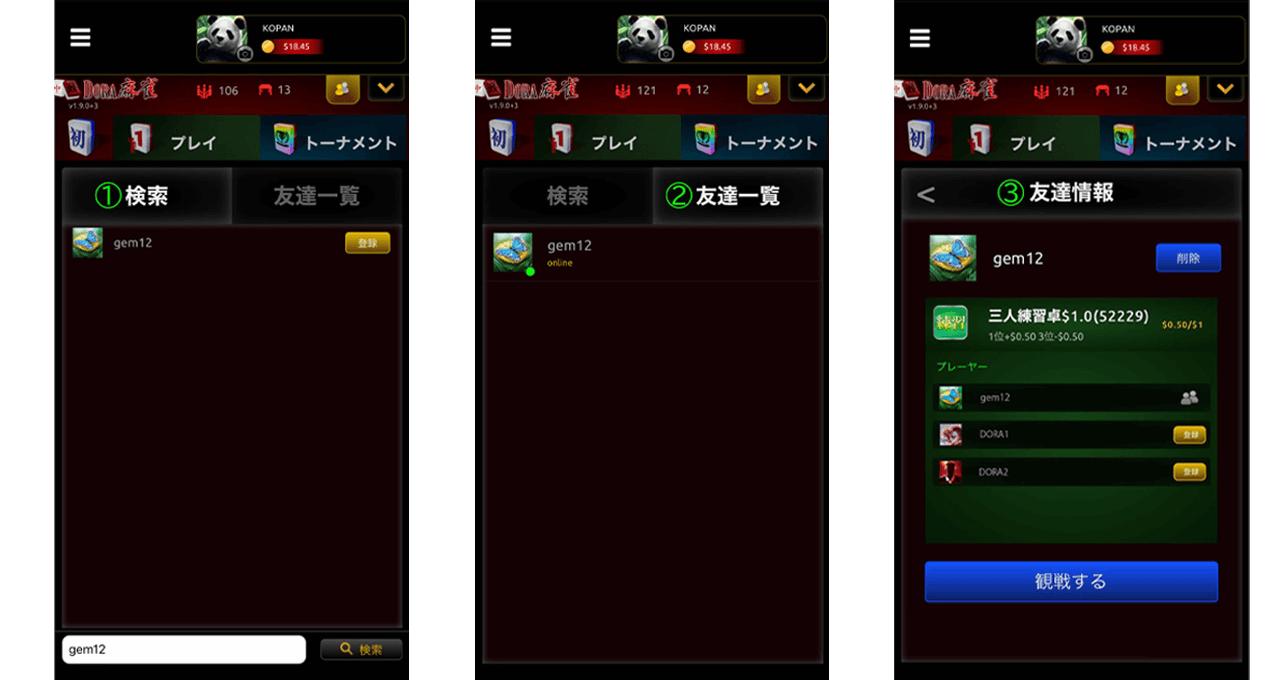
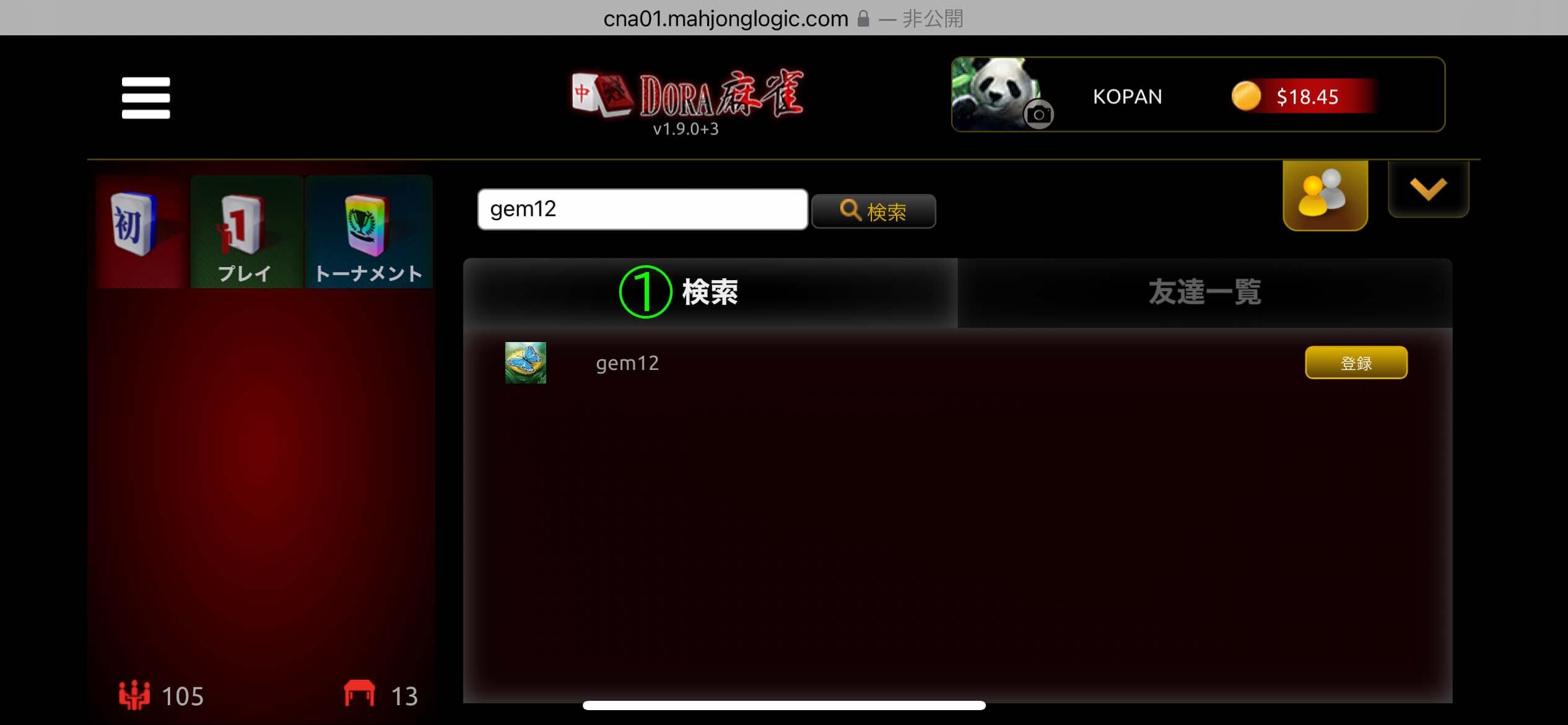
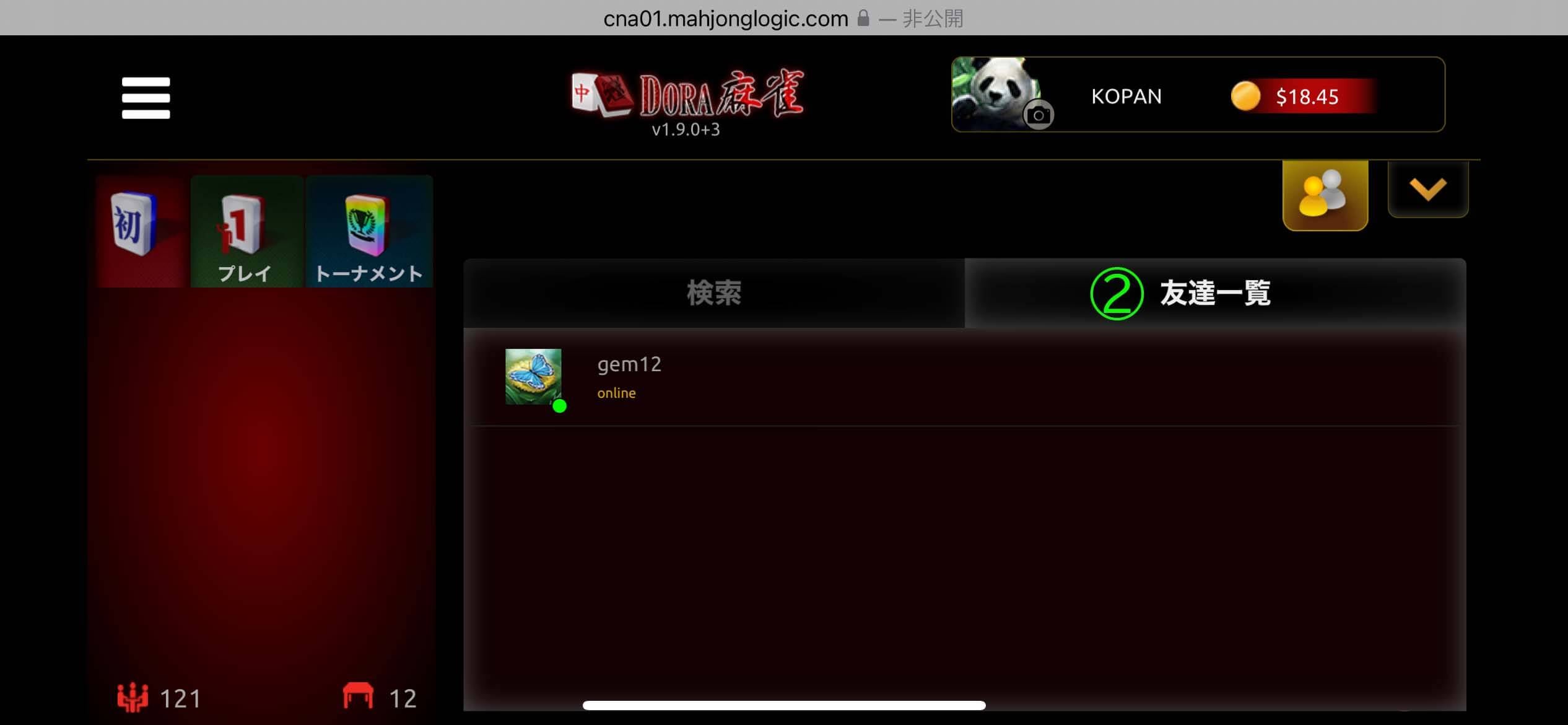
- Friend search screen: Search and add friends
- Friend list: You can check the login status and gameplay status of your added friends.
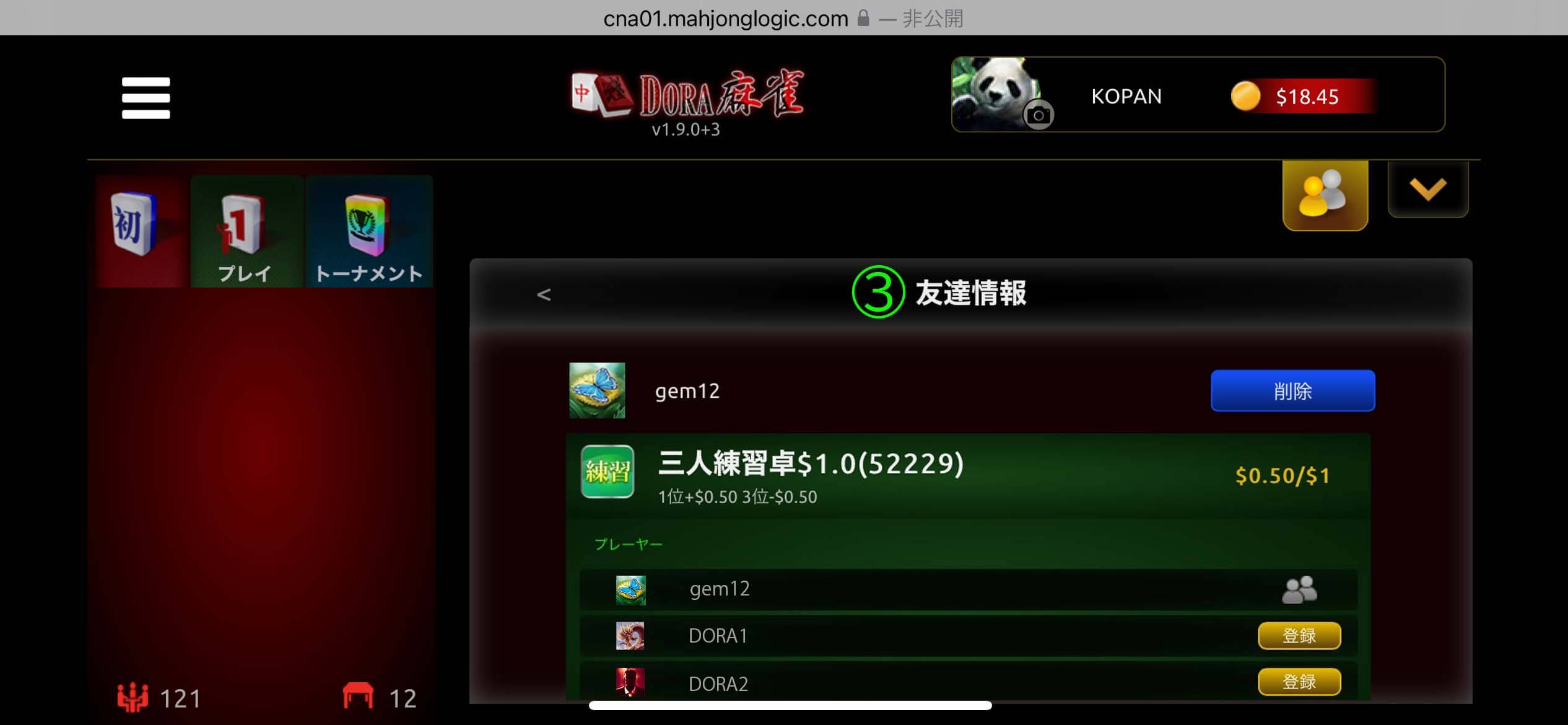
- Friend information: You can delete friends or check the table information of your friends.
< For mobile version >
< For mobile version >
Version: 1.8.12+11
Corrections/improvements
| PC browser version Common to mobile versions |
|
|---|
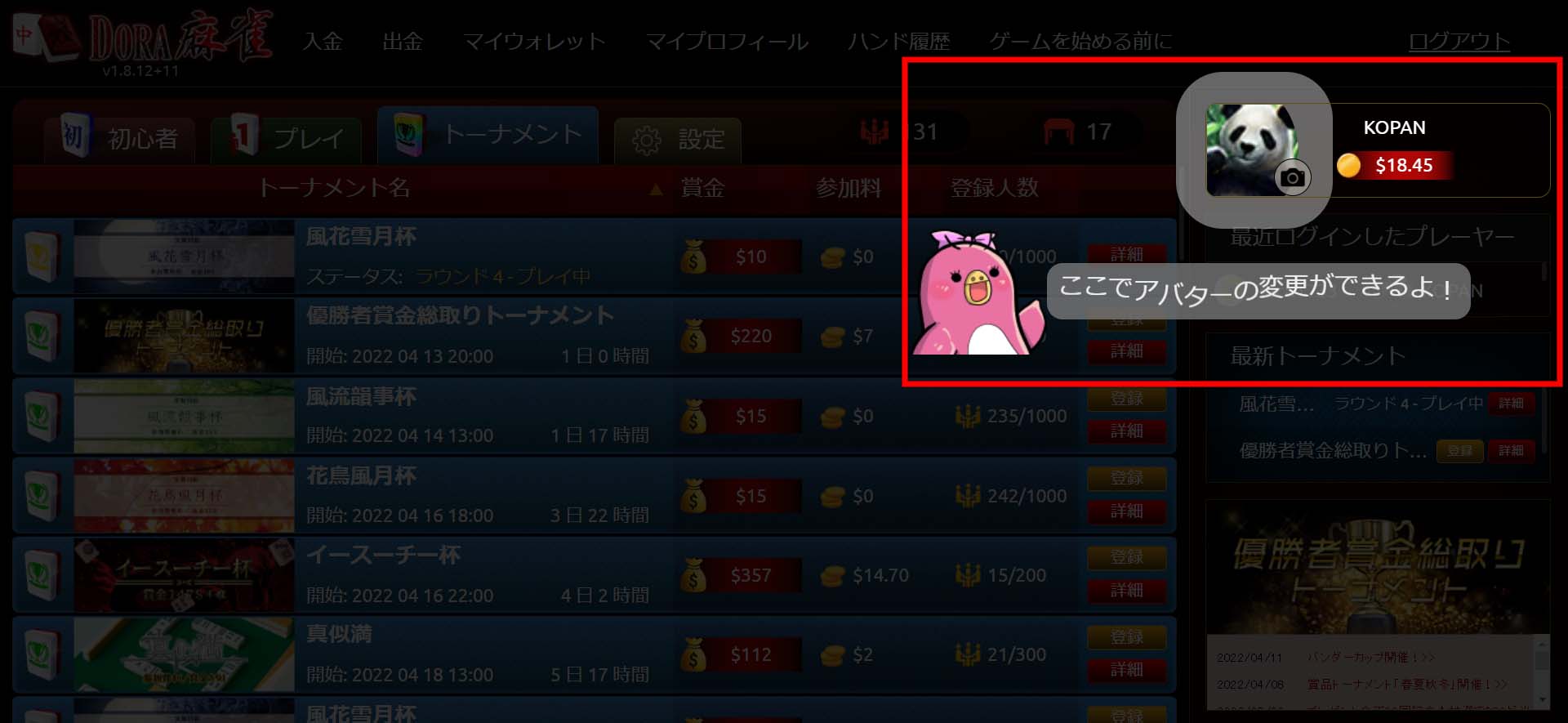
- *This will only be displayed the first time you log in after the new version is released
- . You can no longer change your avatar from My Profile. Please click on the camera mark displayed in the bottom right of your avatar to change it.
Version: 1.8.12+4
Corrections/improvements
| PC browser version Common to mobile versions |
|
|---|
Version: 1.8.12+3
New Features
| PC browser version Common to mobile versions |
|
|---|
Corrections/improvements
| PC browser version Common to mobile versions |
|
|---|
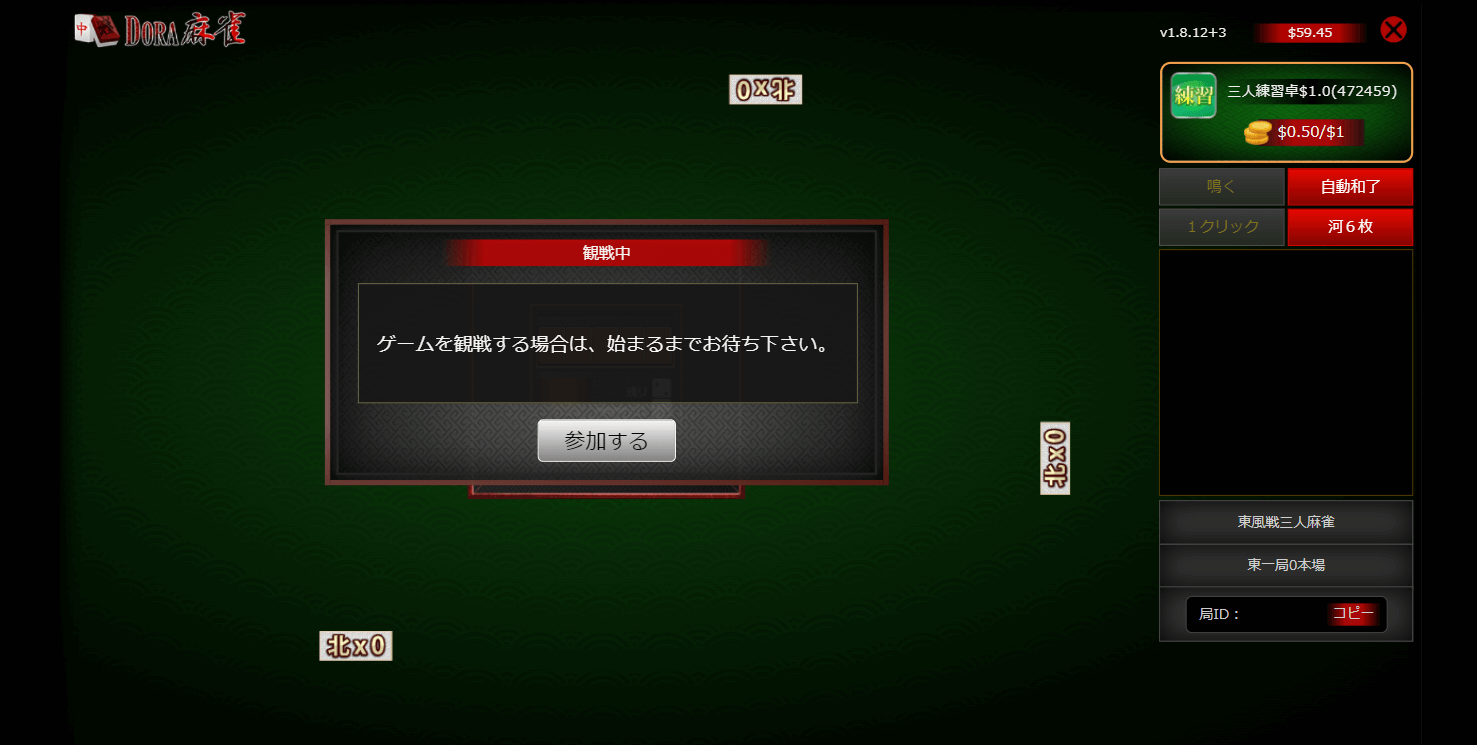
When you enter the watch screen, if the game has not started, the "Join" button will be displayed.
*This display will disappear once the table is filled. [How to check seating status from the beginner lobby]
- You can check by looking for "●●●" under the table name
- Red: Vacant. Orange: Occupied.
Version: 1.8.11+7
New Features
| PC browser version Common to mobile versions |
|
|---|
Corrections/improvements
| PC browser version Common to mobile versions |
|
|---|
- [ PC browser version ]
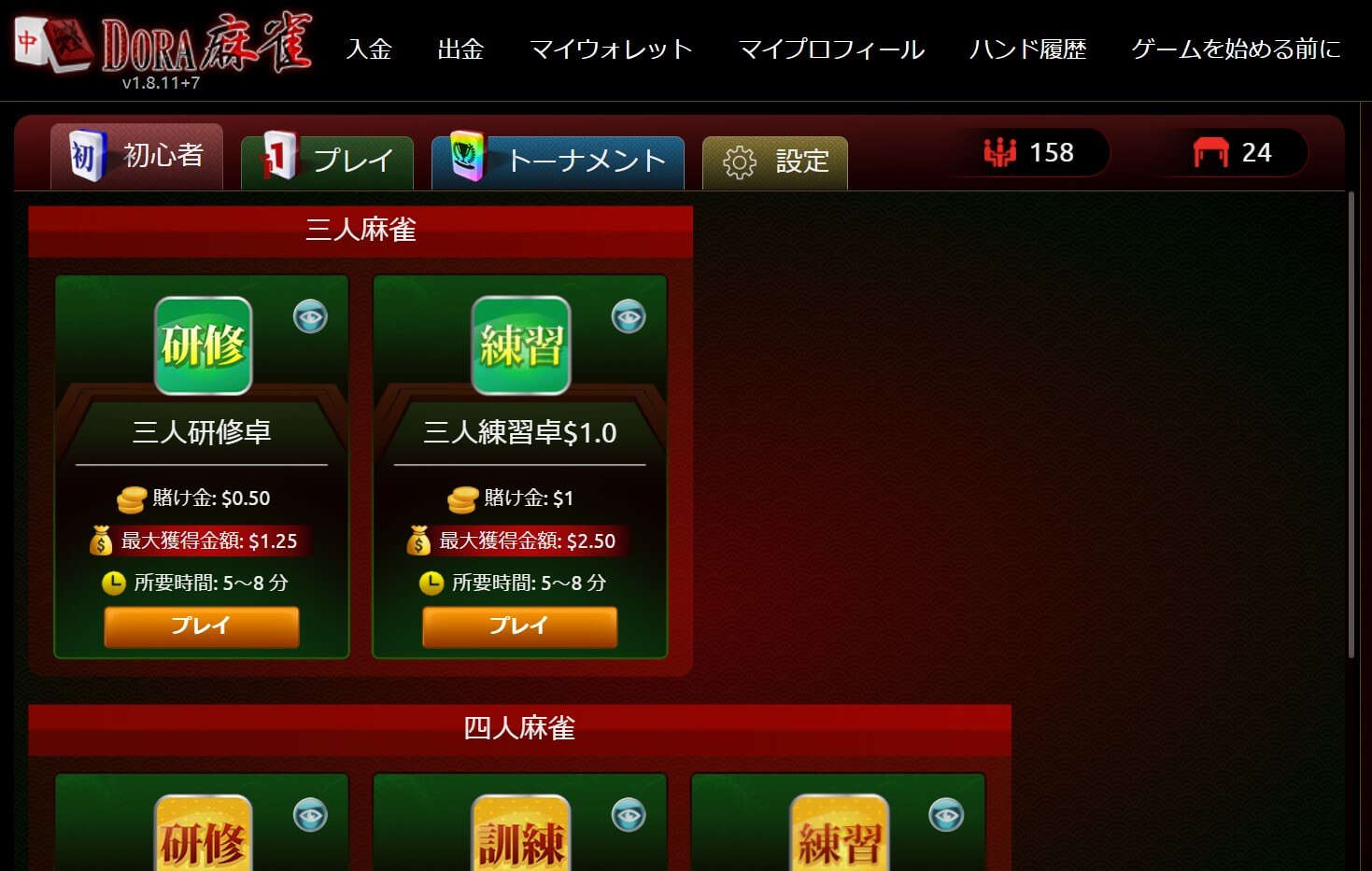
Click the "Play" button at each table to be seated at a randomly assigned table.
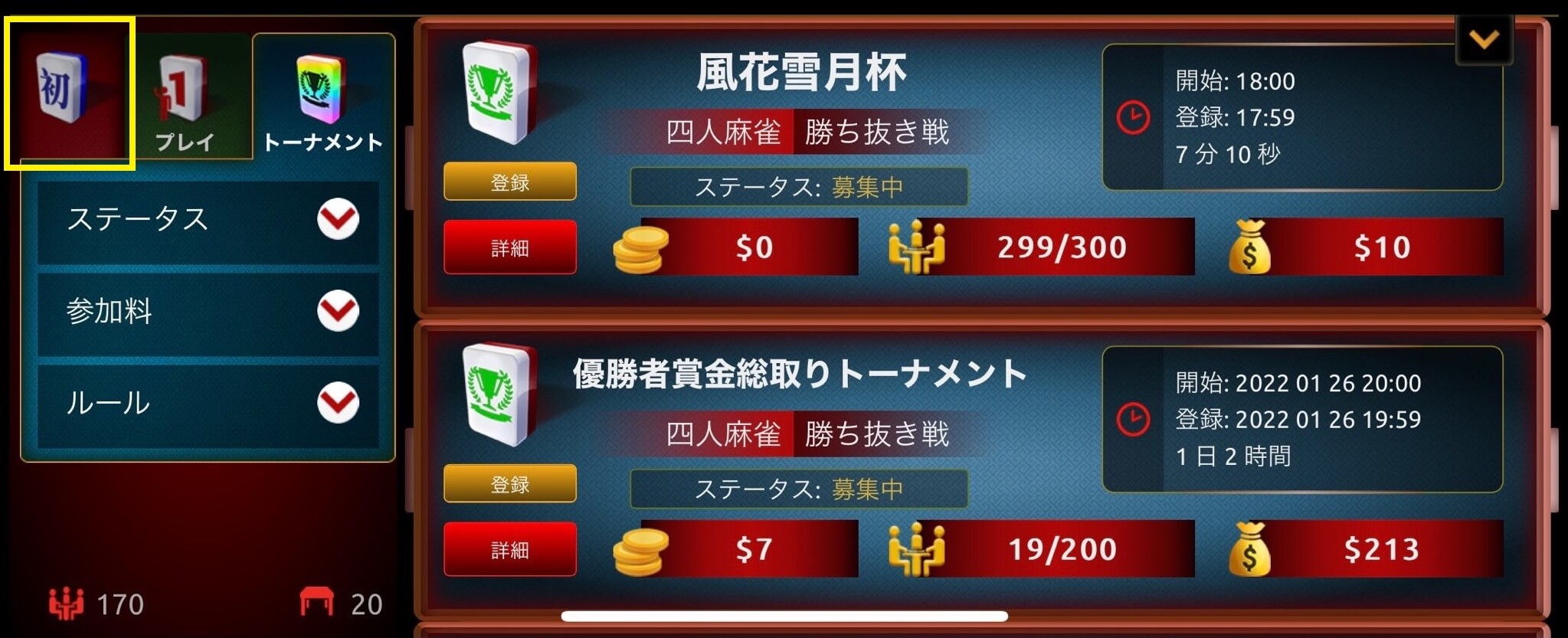
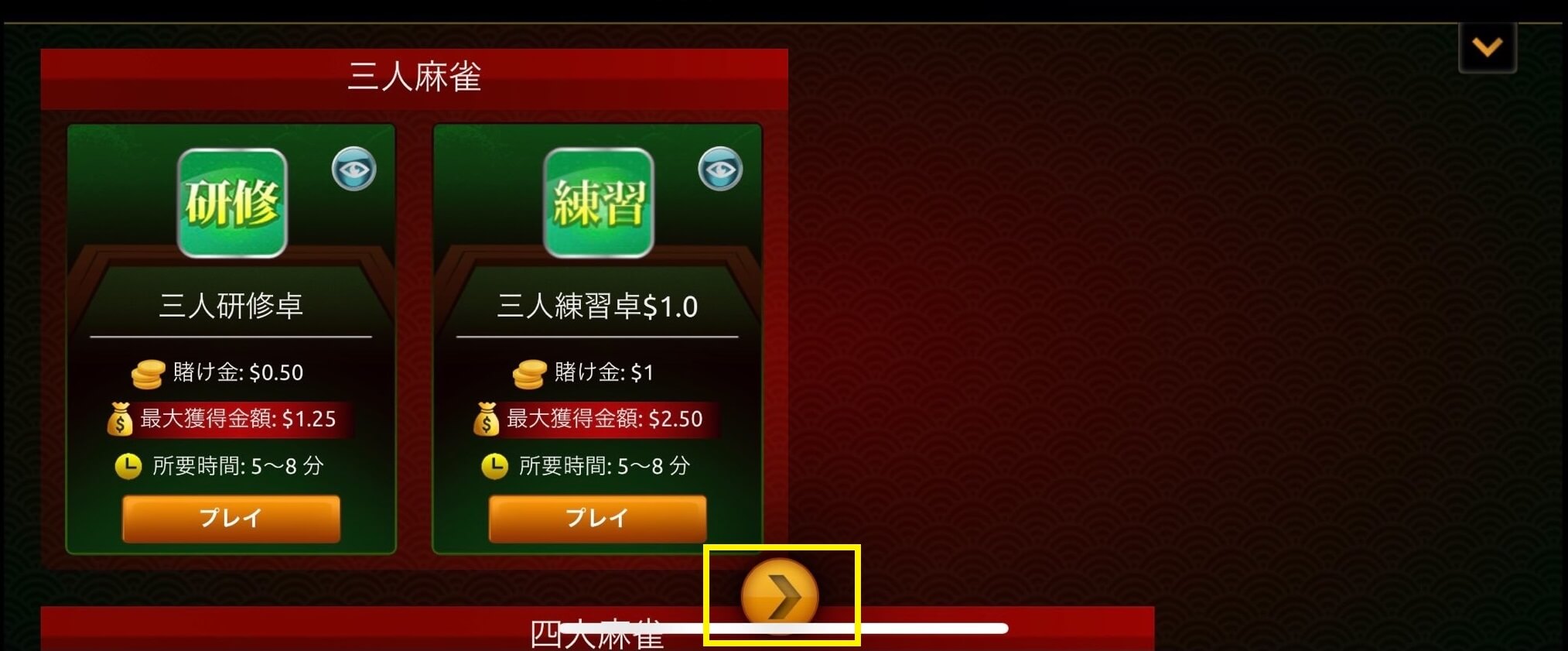
-Click the ">" button displayed in the beginner lobby to display the "Leave beginner lobby" button.
*You cannot move to another lobby unless you click ">".
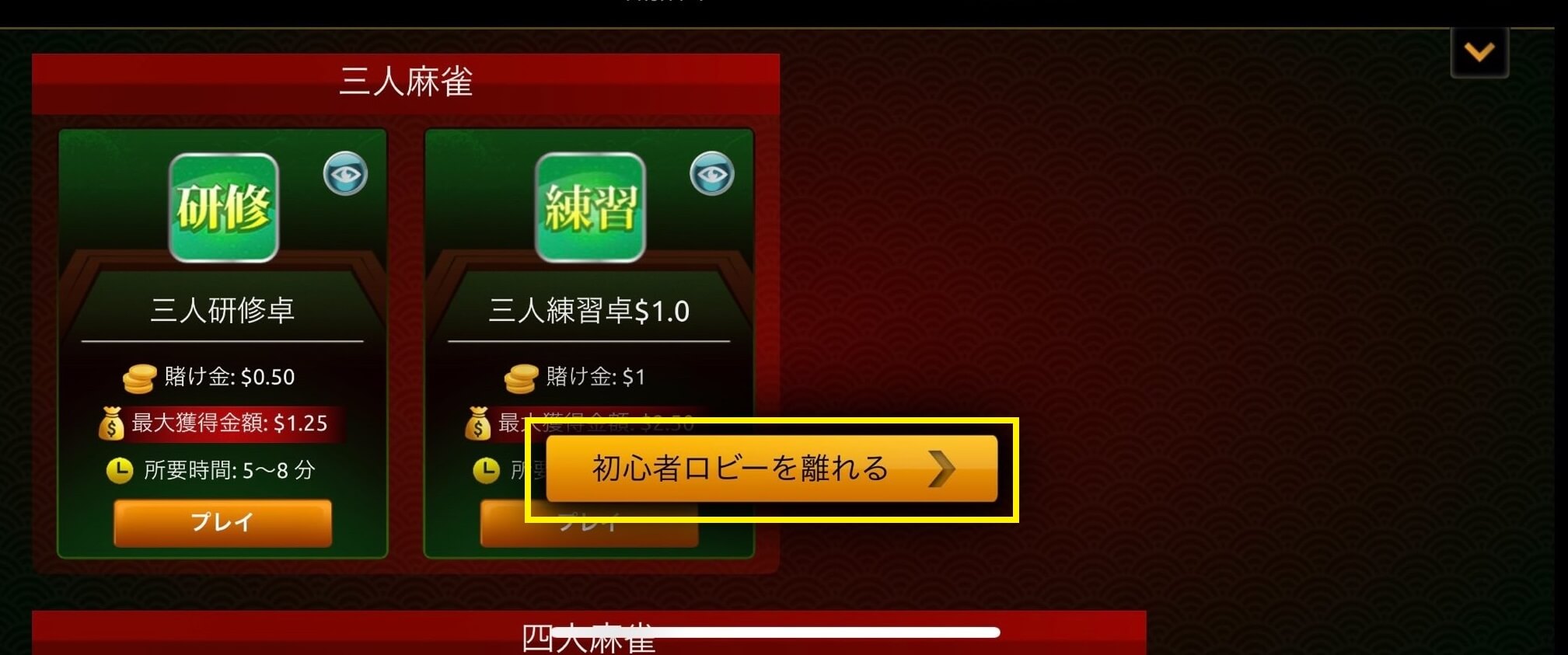
-Clicking the "Leave beginner lobby" button will display the play lobby or tournament lobby.
Version: v1.8.10+4
Corrections/improvements
| PC browser version Common to mobile versions |
|
|---|
Version: v1.8.10+3
Corrections/improvements
| PC browser version Common to mobile versions |
|
|---|
Version: v1.8.10+2
New Features
| PC browser version Common to mobile versions |
|
|---|
Corrections/improvements
| PC browser version |
|
|---|---|
| PC browser version Common to mobile versions |
|
Version: v1.8.9+4
Corrections/improvements
| PC browser version Common to mobile versions |
|
|---|
Version: v1.8.9+3
New Features
| PC browser version Common to mobile versions |
|
|---|
Corrections/improvements
| PC browser version Common to mobile versions |
|
|---|
Version: v1.8.9+2
Corrections/improvements
| PC browser version Common to mobile versions |
|
|---|
Version: v1.8.9+1
Corrections/improvements
| PC browser version Common to mobile versions |
|
|---|
Version: v1.8.9+0
Corrections/improvements
| PC browser version Common to mobile versions |
|
|---|
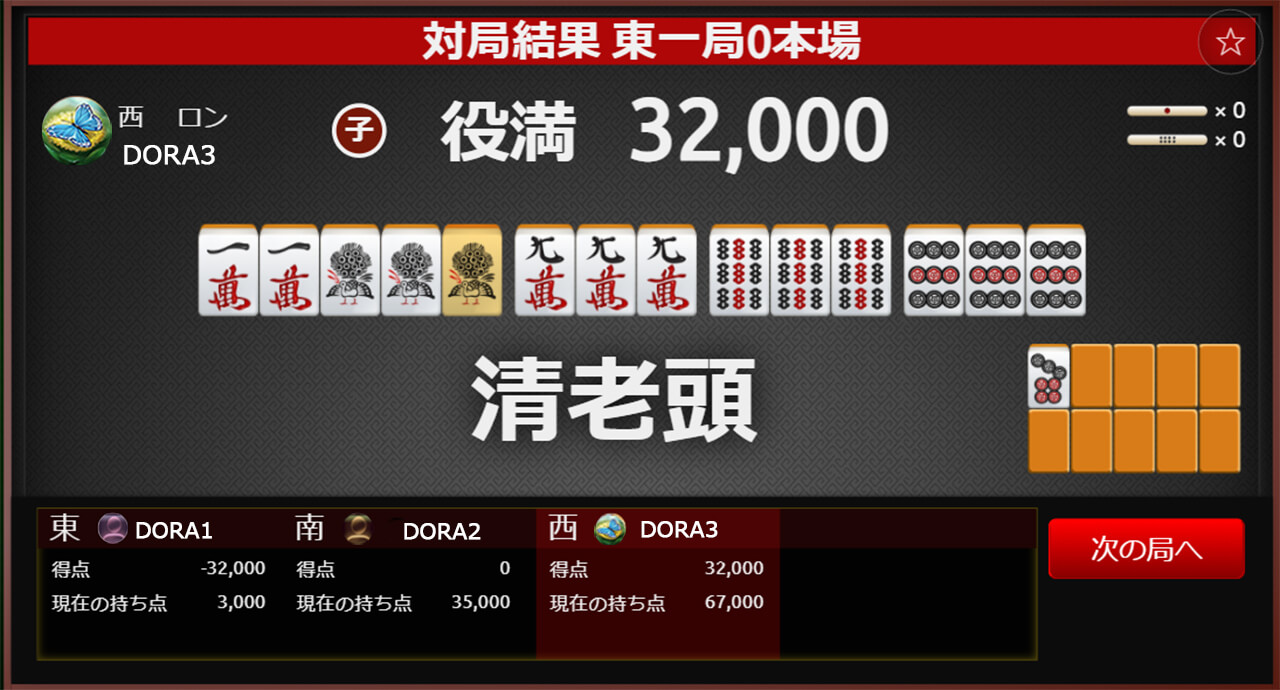
Version: v1.8.8+5

Corrections/improvements
| PC browser version Common to mobile versions |
|
|---|
Version: v1.8.8+4
Corrections/improvements
| PC browser version |
|
|---|
Corrections/improvements
| PC browser version Common to mobile versions |
|
|---|
Version: v1.8.8+3
New Features
| PC browser version iPad version |
|
|---|
Corrections/improvements
| PC browser version Common to mobile versions |
|
|---|
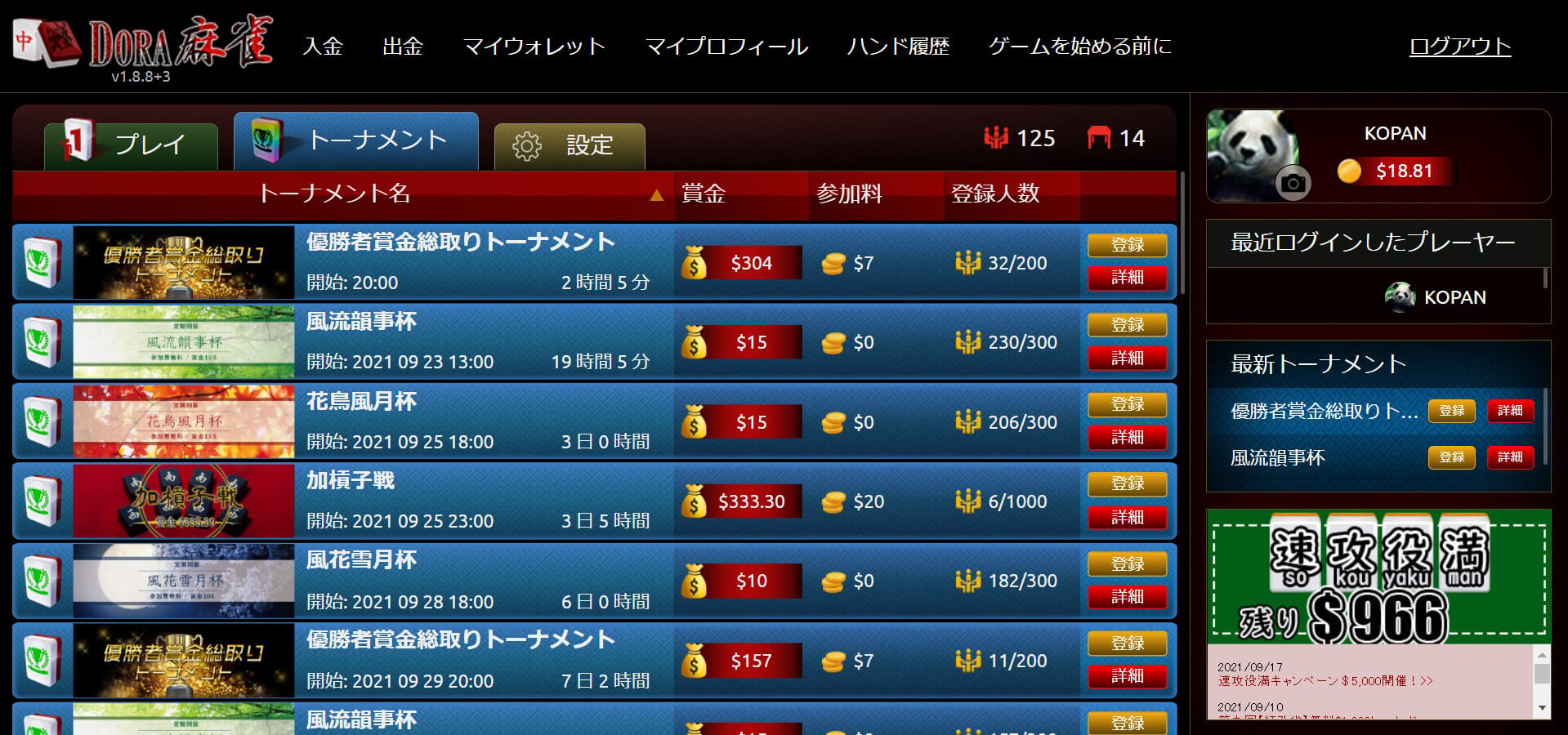
Version: v1.8.7+7
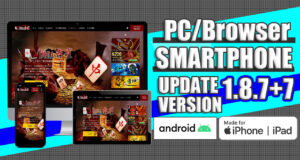
New Features
| PC browser version |
|
|---|
Corrections/improvements
| PC browser version Common to mobile versions |
|
|---|
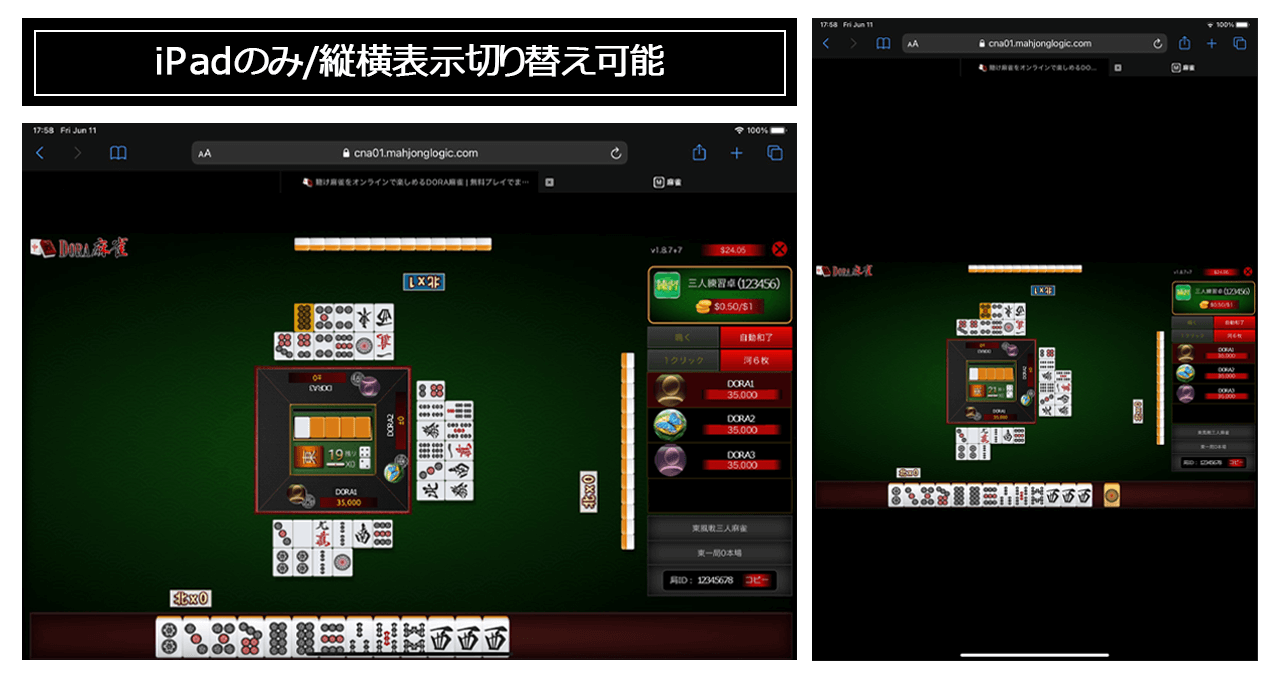
Version: v1.8.7+6

Corrections/improvements
| PC browser version Mobile version |
|
|---|
Version: v1.8.7+5

Corrections/improvements
| PC browser version Mobile version |
|
|---|
Version: v1.8.7+4

Corrections/improvements
| PC browser version Mobile version |
|
|---|
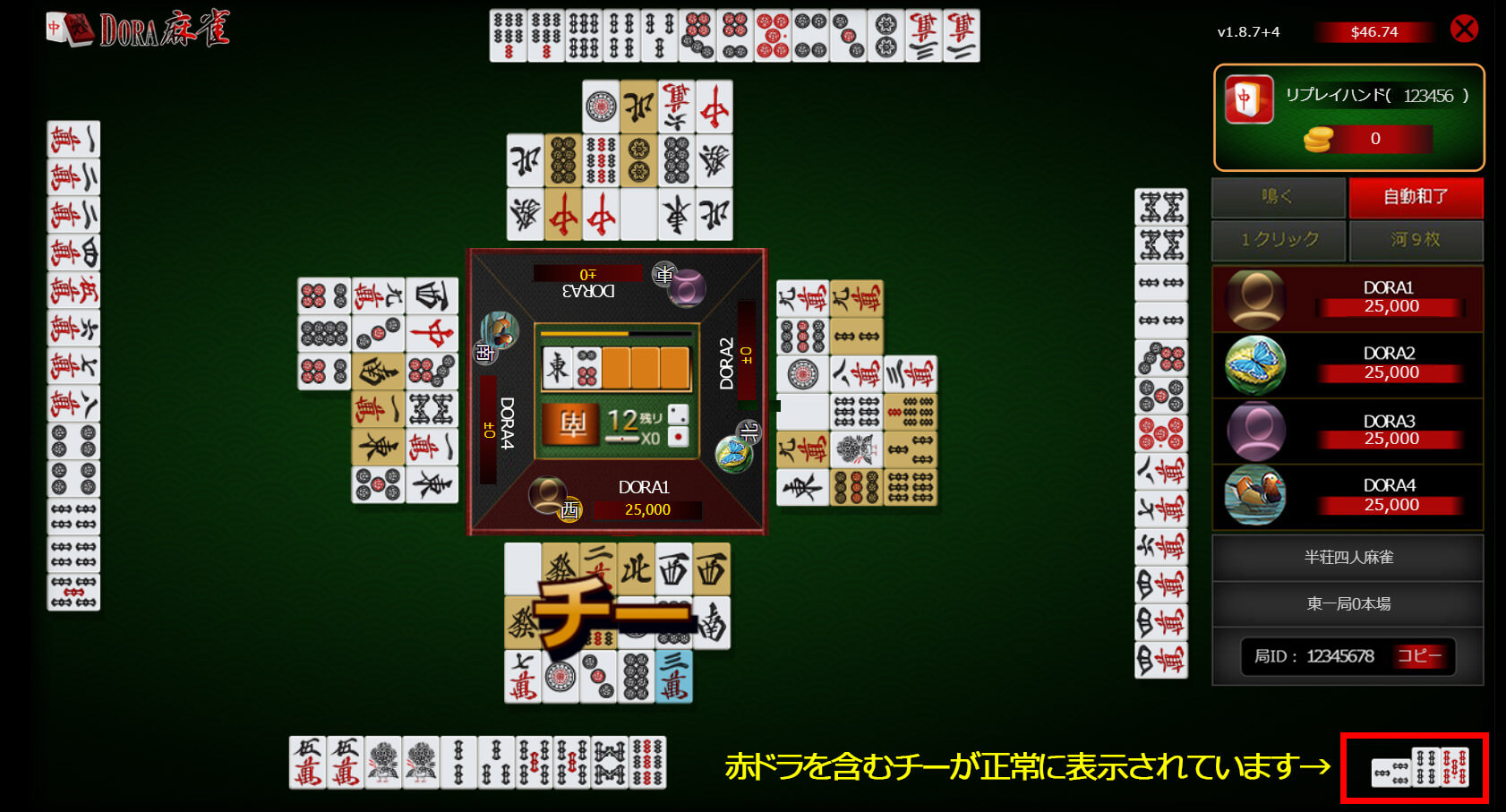
[Fixed an issue where a chie with a red dragon would result in a chie without a red dragon]
- When a player makes a chie with a red dragon, the chie does not include the red dragon on the player's side.
- *However, it is displayed correctly as a chie with a red dragon to other players .
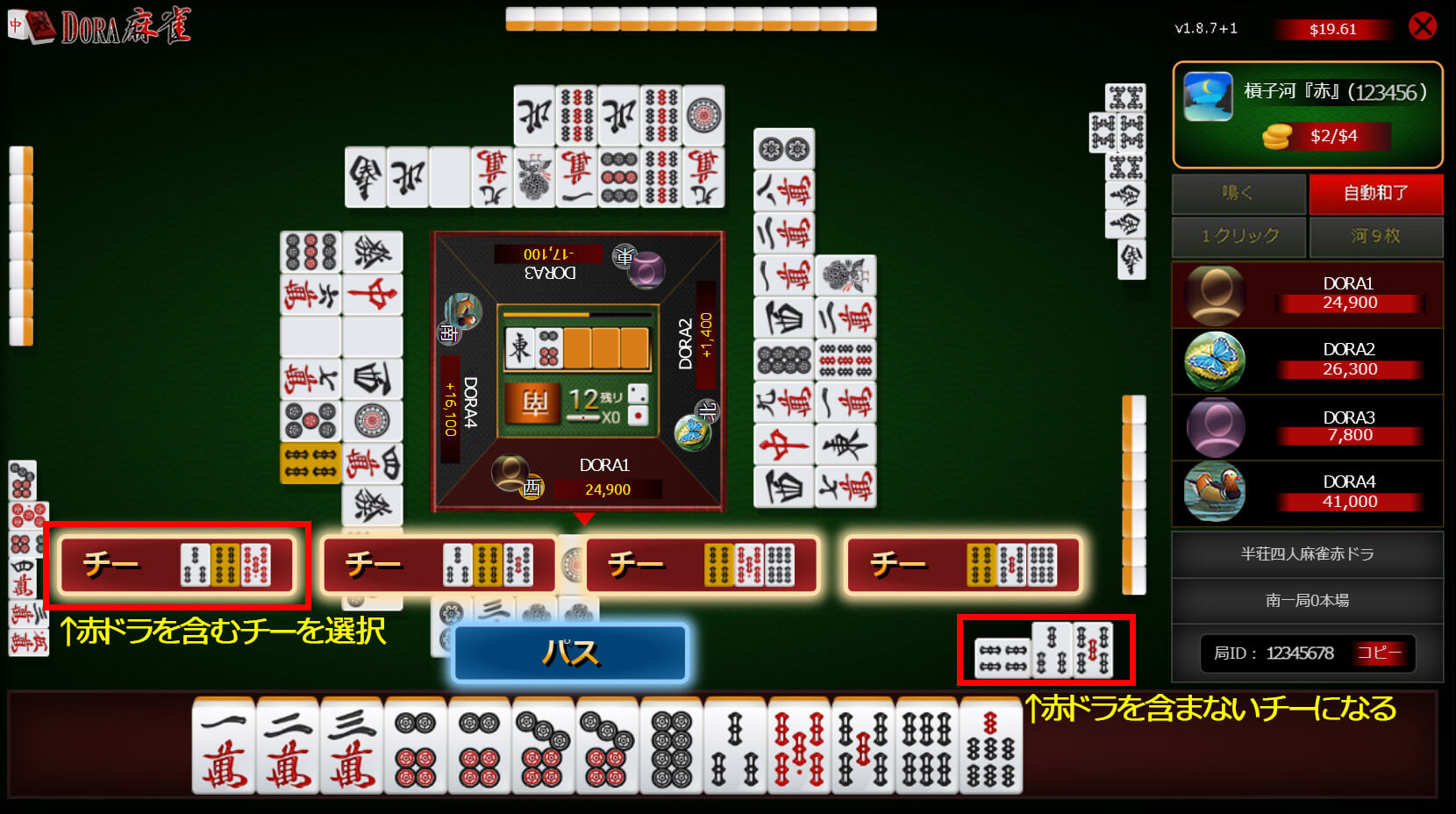
The chie with a red dragon is now displayed correctly on the player's side.
Version: v1.8.7+1

New Features
| PC browser version |
|
|---|
Corrections/improvements
| PC browser version Mobile version |
|
|---|
[Details of new features]
You can switch between "6 tiles" or "9 tiles" as you prefer.
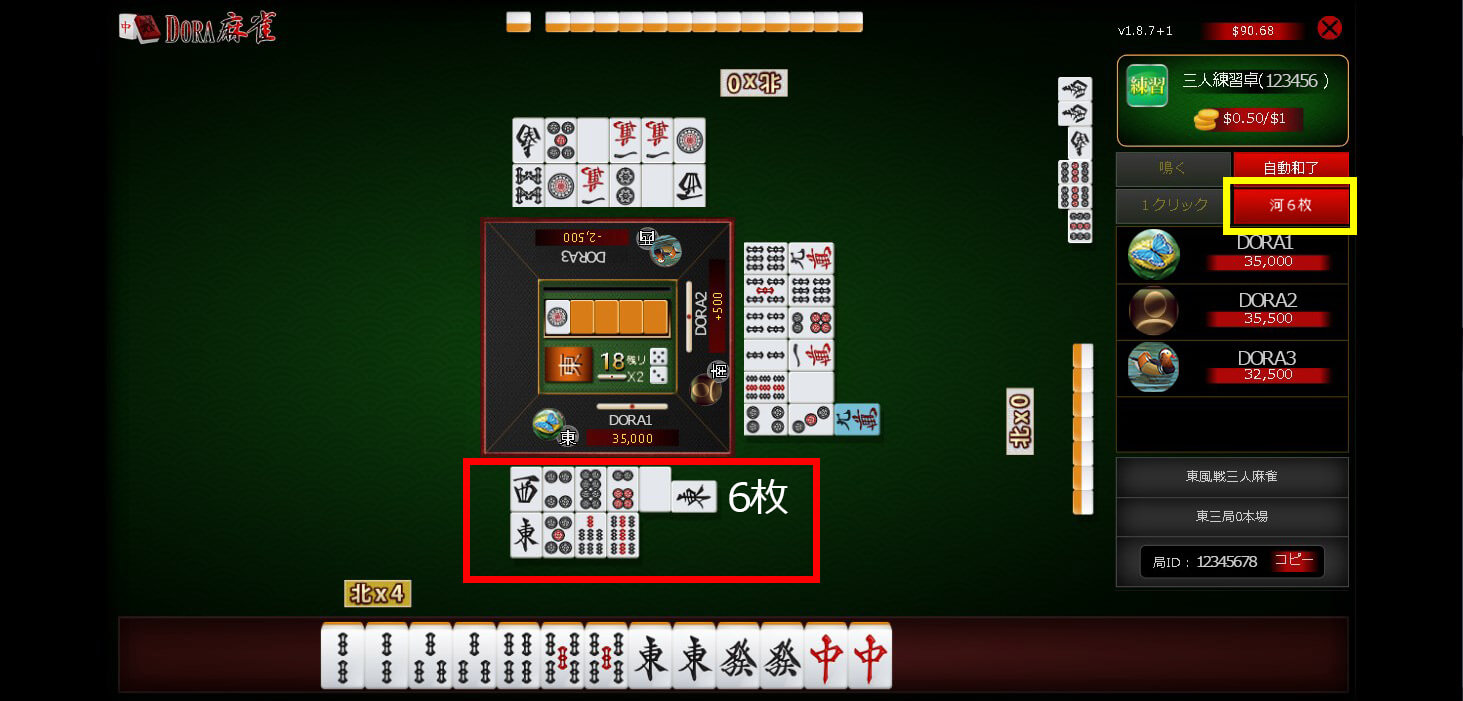
"6 tiles" display
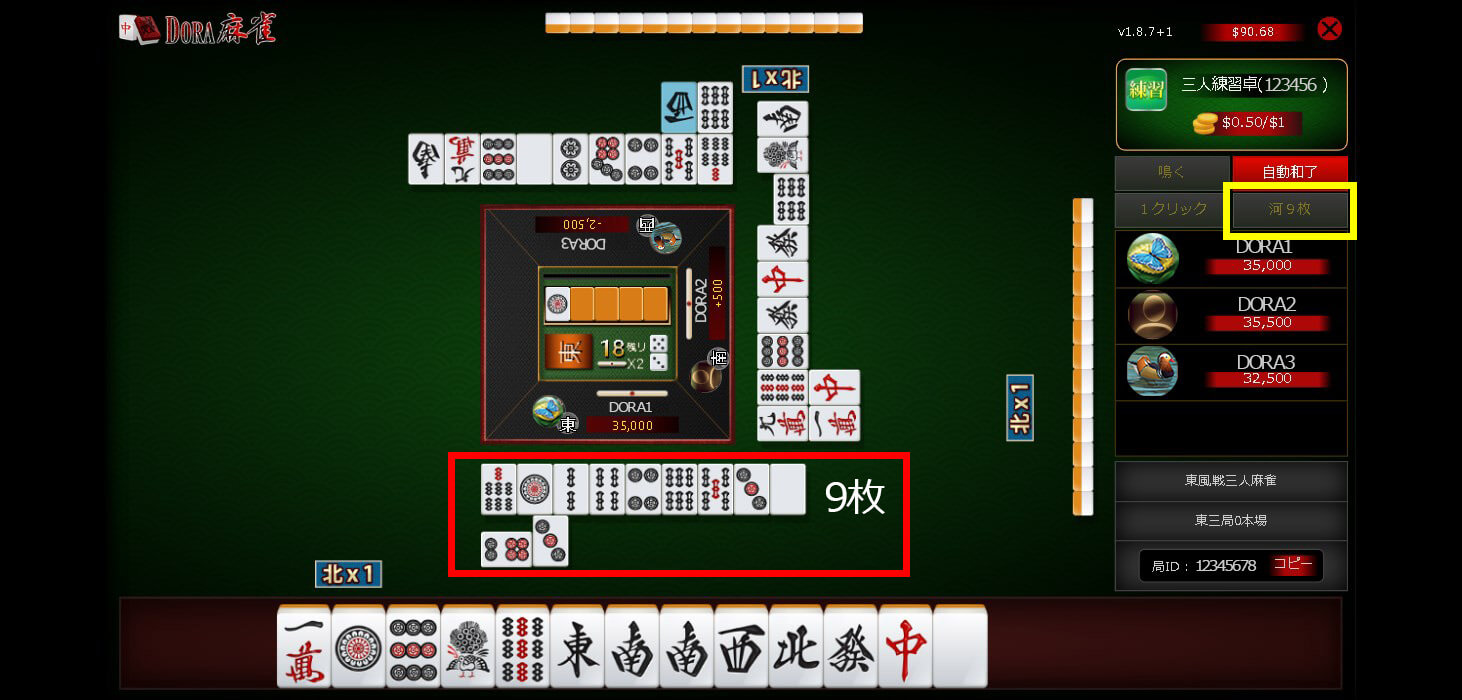
"9 tiles" display
Version: v1.8.6+6

- <PC browser version> [New feature] Notification function when another window is open
- <Mobile version> [New feature] One-click tile selection function
- <Common to PC browser and mobile versions> [New feature] Addition of hand ID report button
- <Common to PC browser and mobile versions> [Fixes and improvements] Changes to the display of the call/auto-win/switch buttons
- Common to PC browser version and mobile version> [Fixes and improvements] Other minor fixes
- Various details
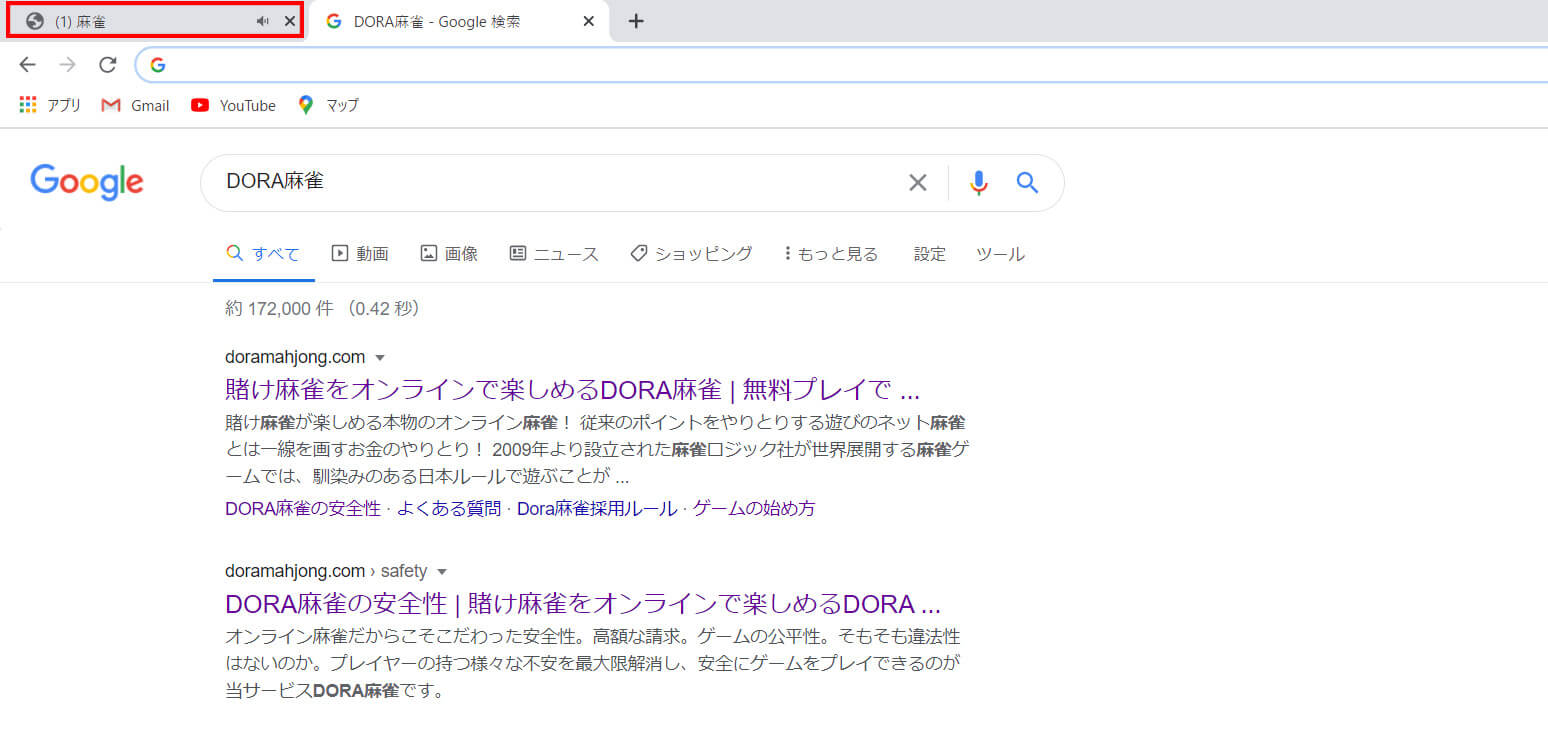
- <Notification function when another window is open for the PC browser version> ・Even if you have another window open while waiting for a table, a "notification sound" will sound when the game starts. ・When attention is required for the game, a "(1)" mark will be displayed on the tab displayed at the top of the window. (When attention is required: when the game starts, when calling, when it is your turn, etc.) *Please note that if the sound settings of your PC or the sound settings in the game are muted, the notification sound will not sound.
<Mobile version - discard selection function>
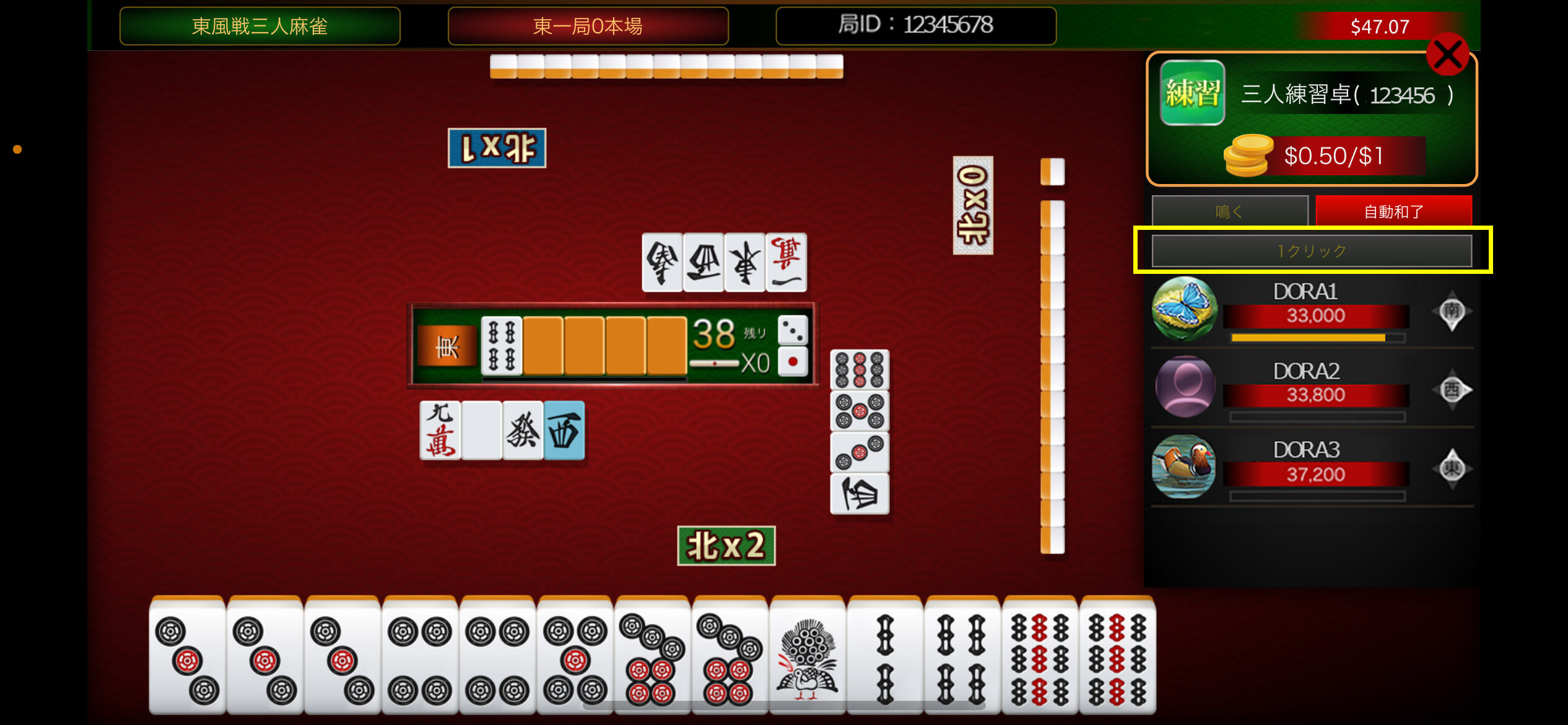
[1 click] Grey button/You can discard a tile immediately with 1 click.
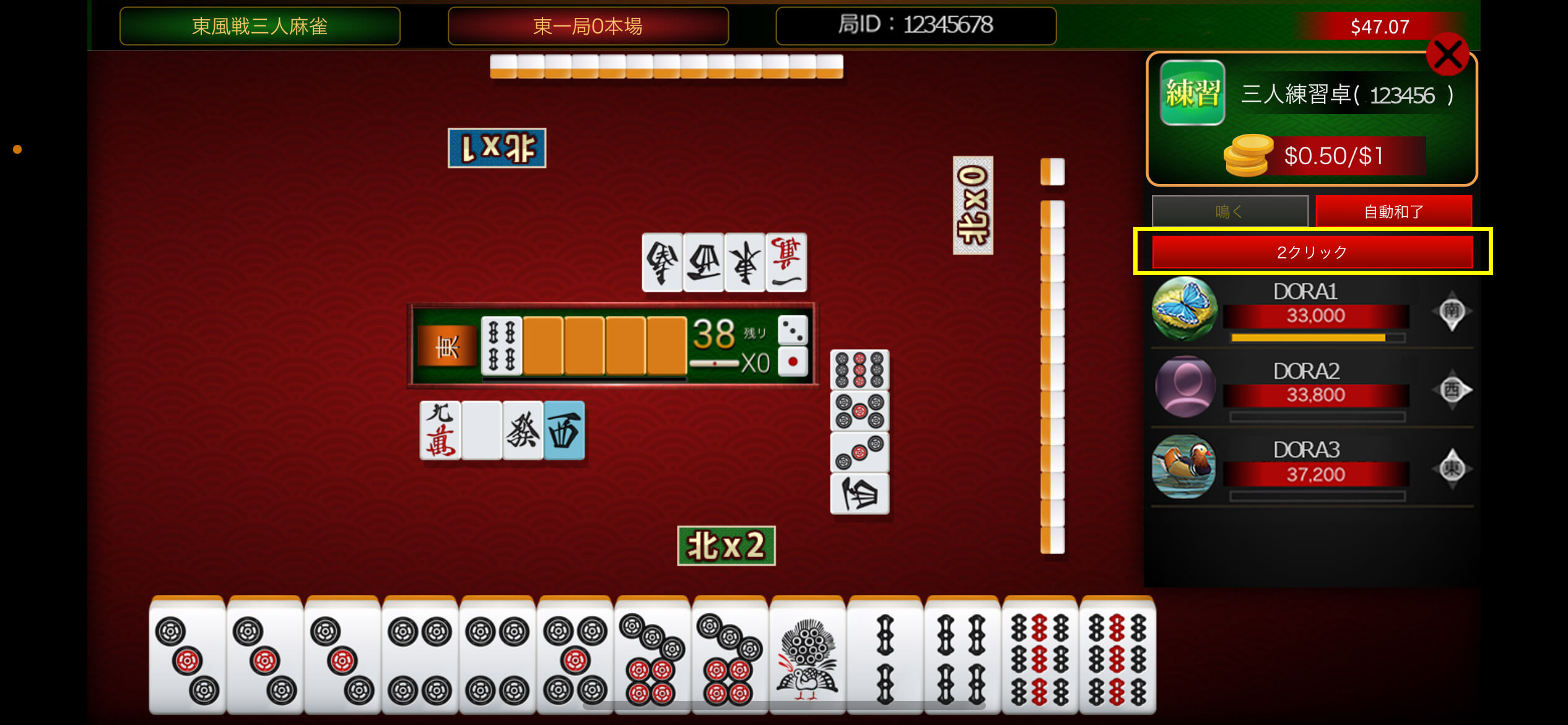
[2 clicks] Red button/Click once to select a tile and click twice to discard the tile.
<PC browser version and mobile version / Installation of hand ID report button>
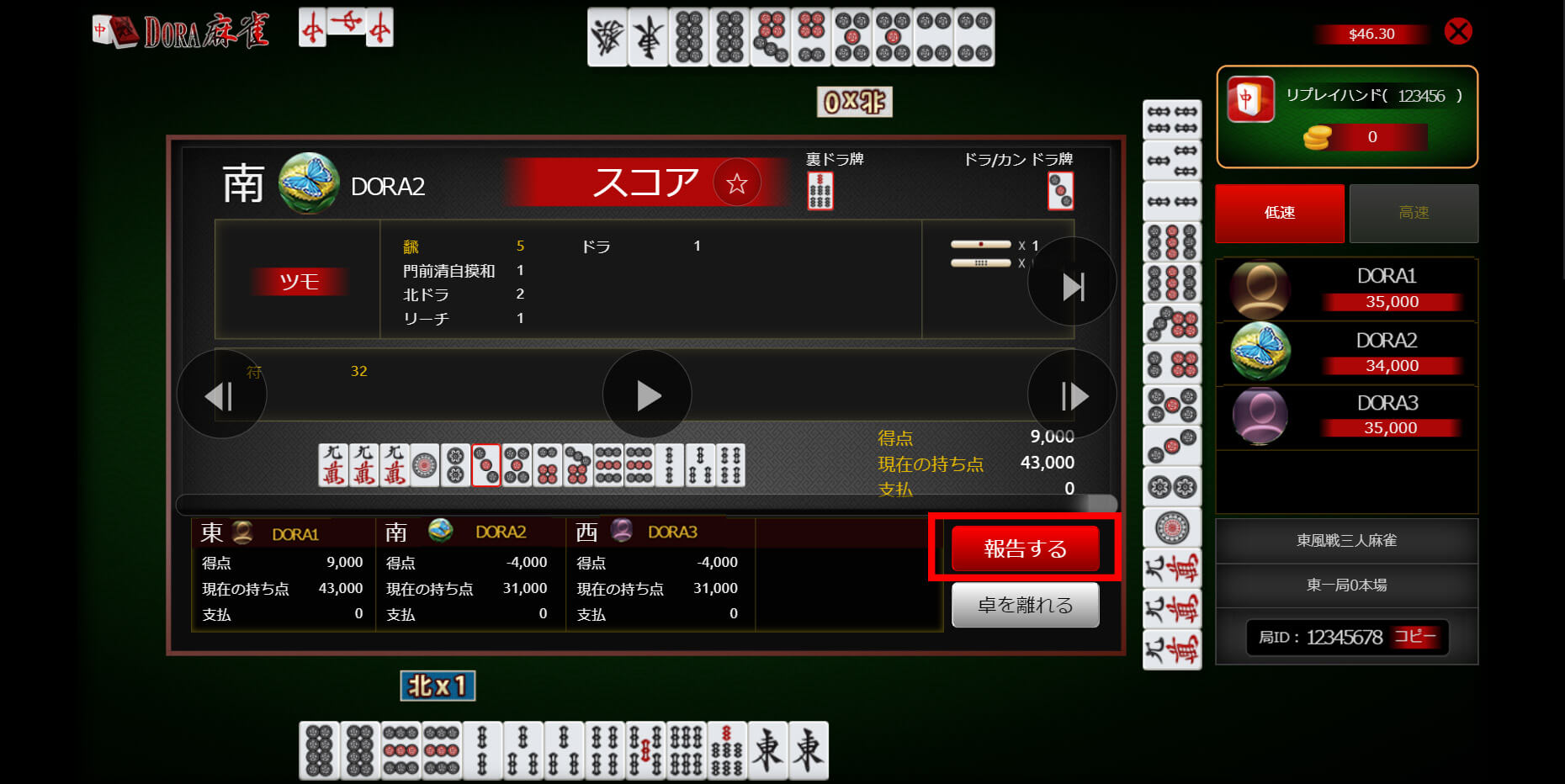
In the game → Hand history → Select the relevant hand ID (8 digit number) and click the "Report" button displayed on the score sheet to report the hand ID to support.
You can use this when you need to report a hand ID (e.g. reporting fraud, applying for a Yakuman campaign, etc.).
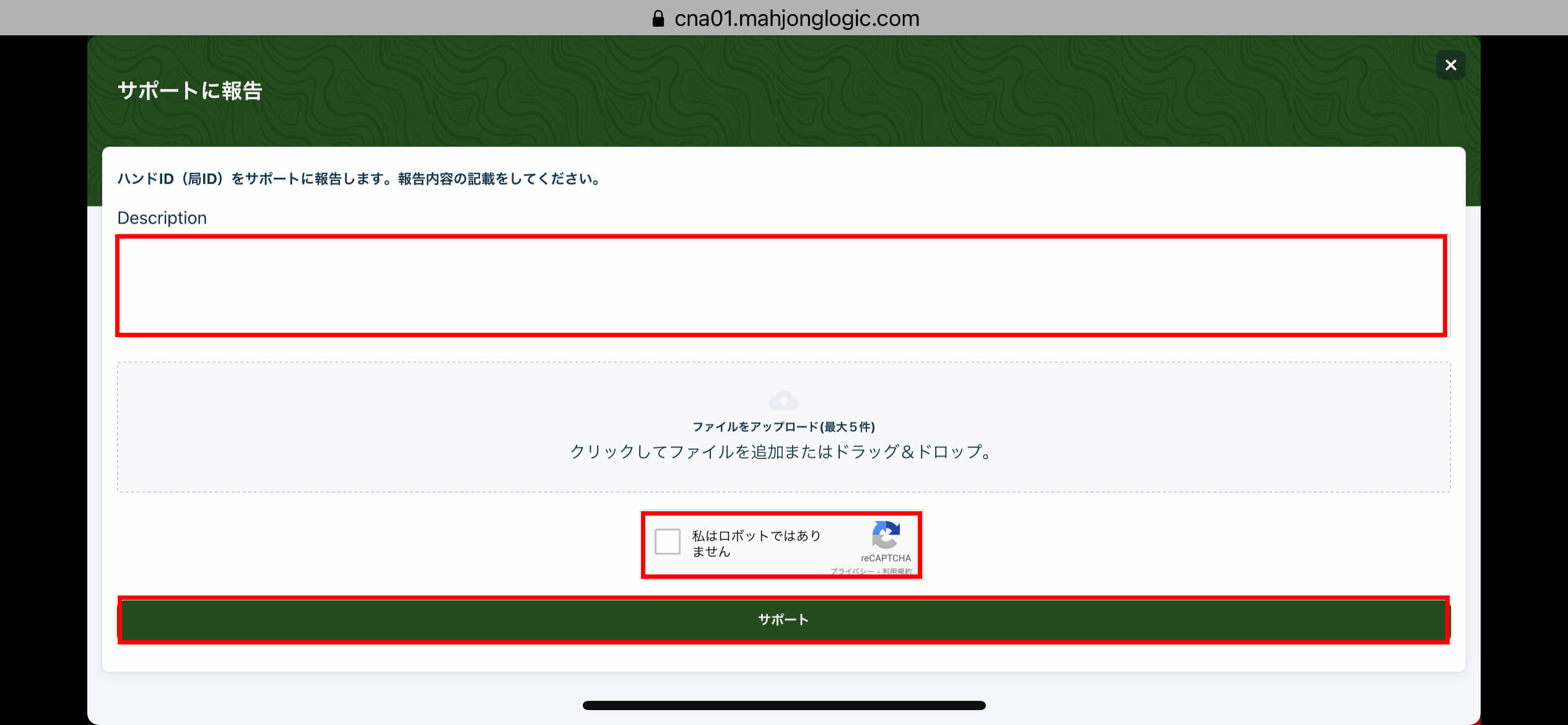
Enter the details and click "Support" to complete the report. *You can also upload a screenshot.
<PC browser version and mobile version common/Call/Automatic win/Change the display of the switch button>
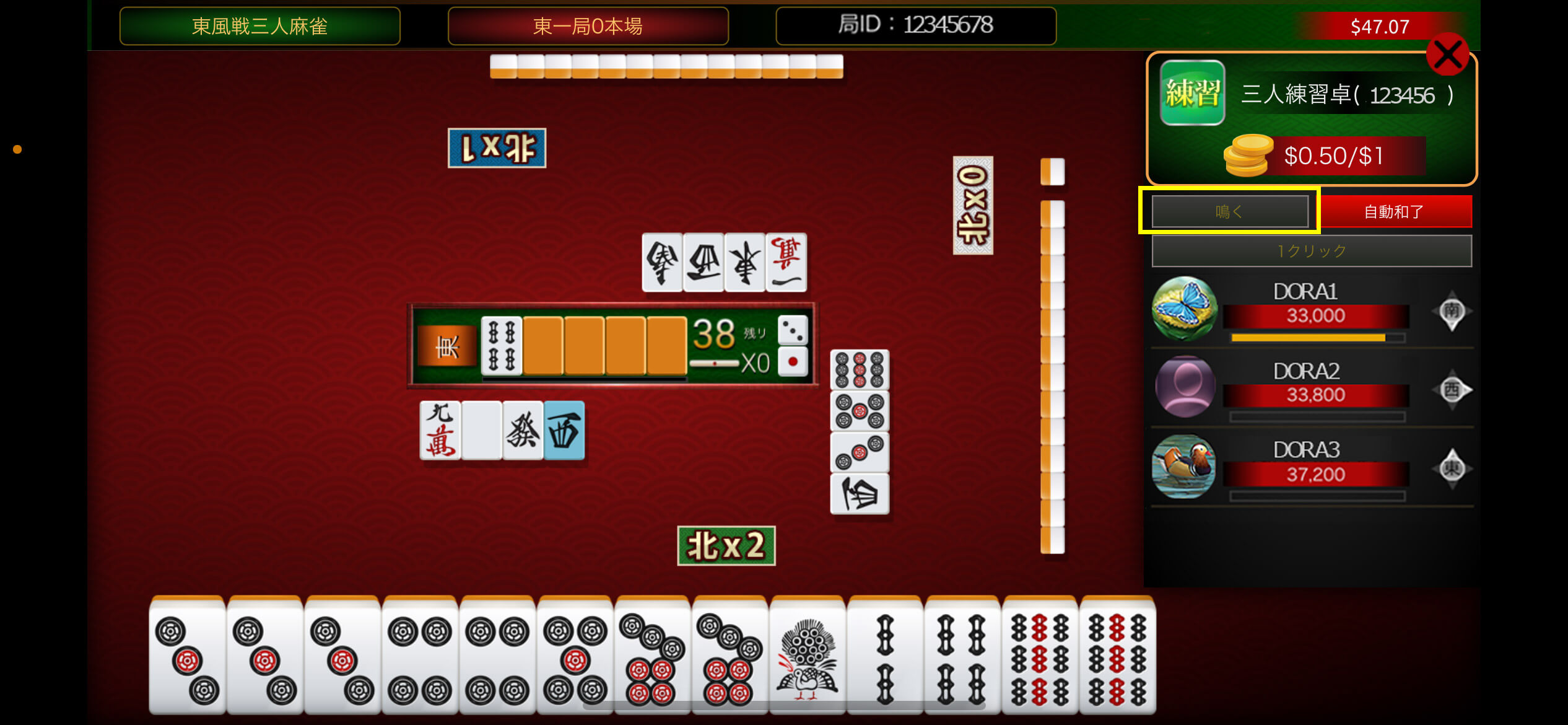
To call automatically: Gray button/Call
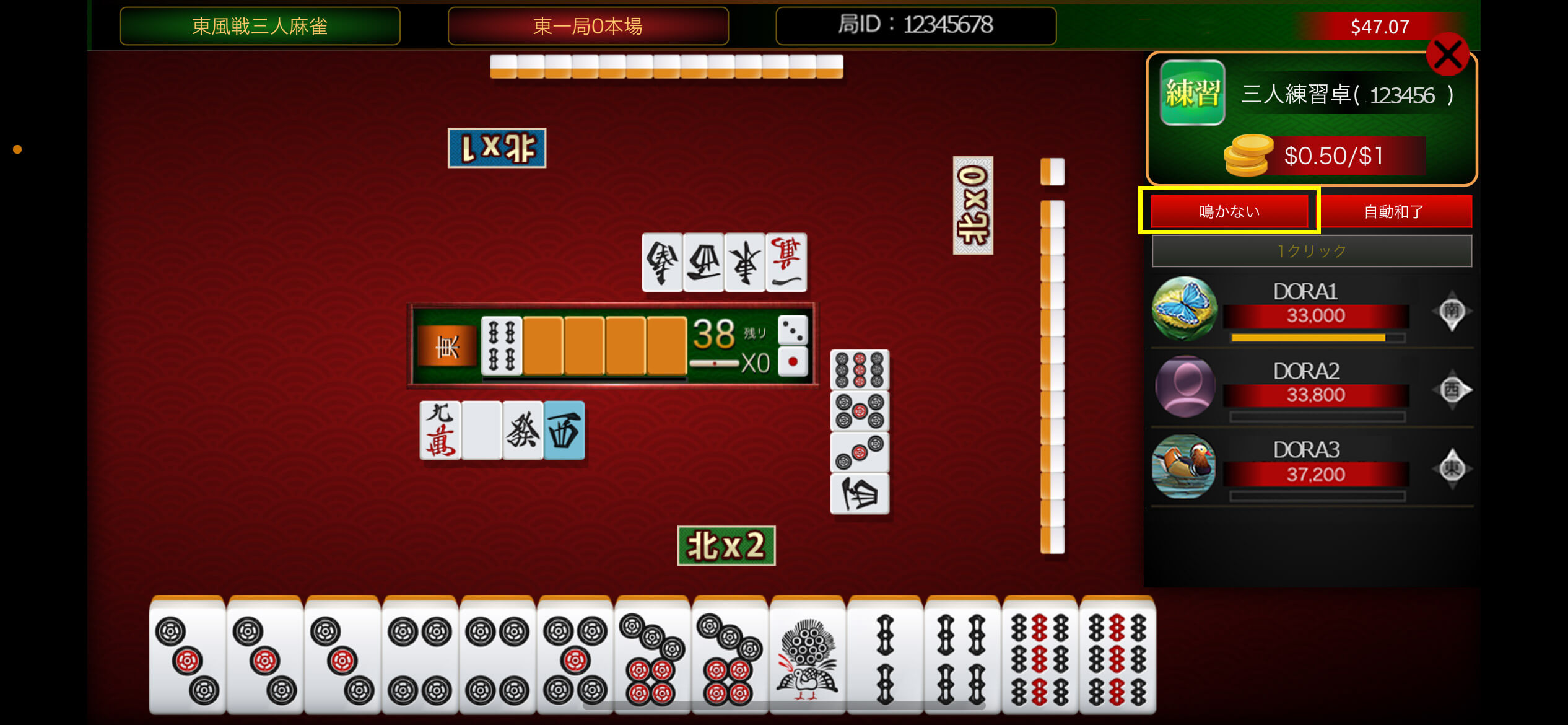
If it doesn't chirp automatically: Red button/No chirp
(*Please note that the setting is reset for each game and will switch to the "Cry" setting for the next game.)
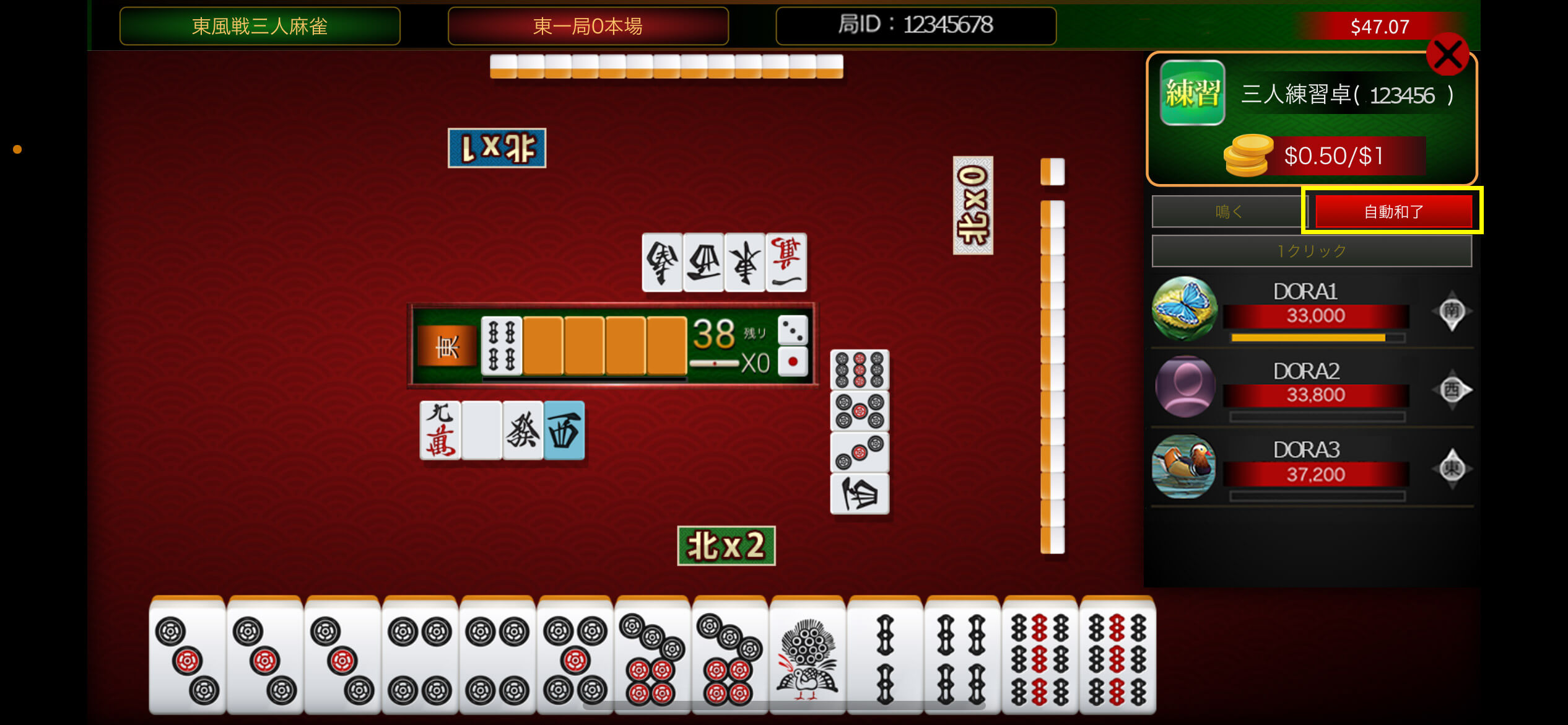
For automatic win: Red button/automatic win
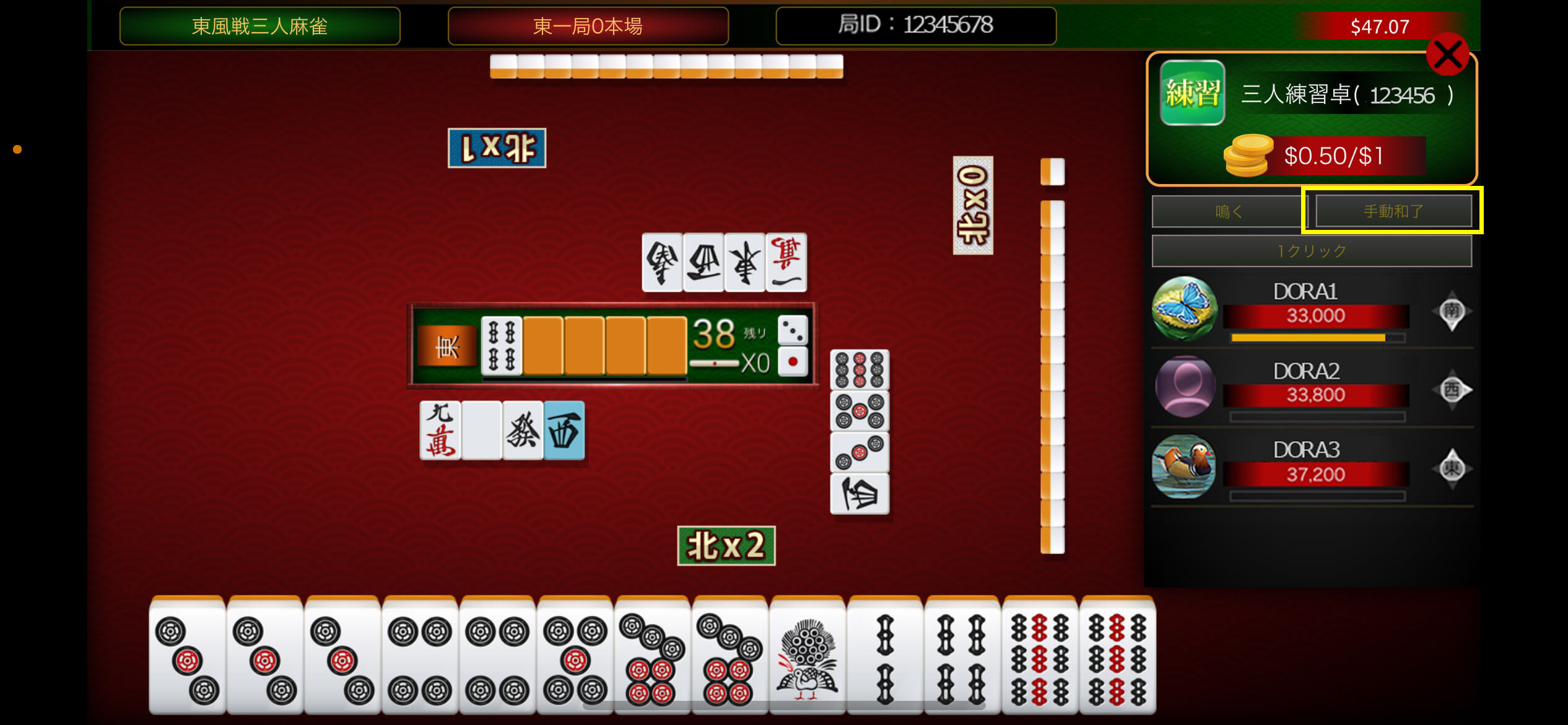
To make a manual win: Grey button/Manual win
Version: v1.8.4+2
- <Common to PC browser version and mobile version> [Improvement] Clicking on the avatar will take you to My Page
- <Common to PC browser and mobile versions> [Fixes and improvements] Improved the arrangement of tiles on the score screen (when the game ends in a draw).
- <Common to PC browser version and mobile version> [Fixes and improvements] Other minor fixes
- Various details
- <Click on the avatar to go to My Page>
Various details
<Click on the avatar to go to My Page>
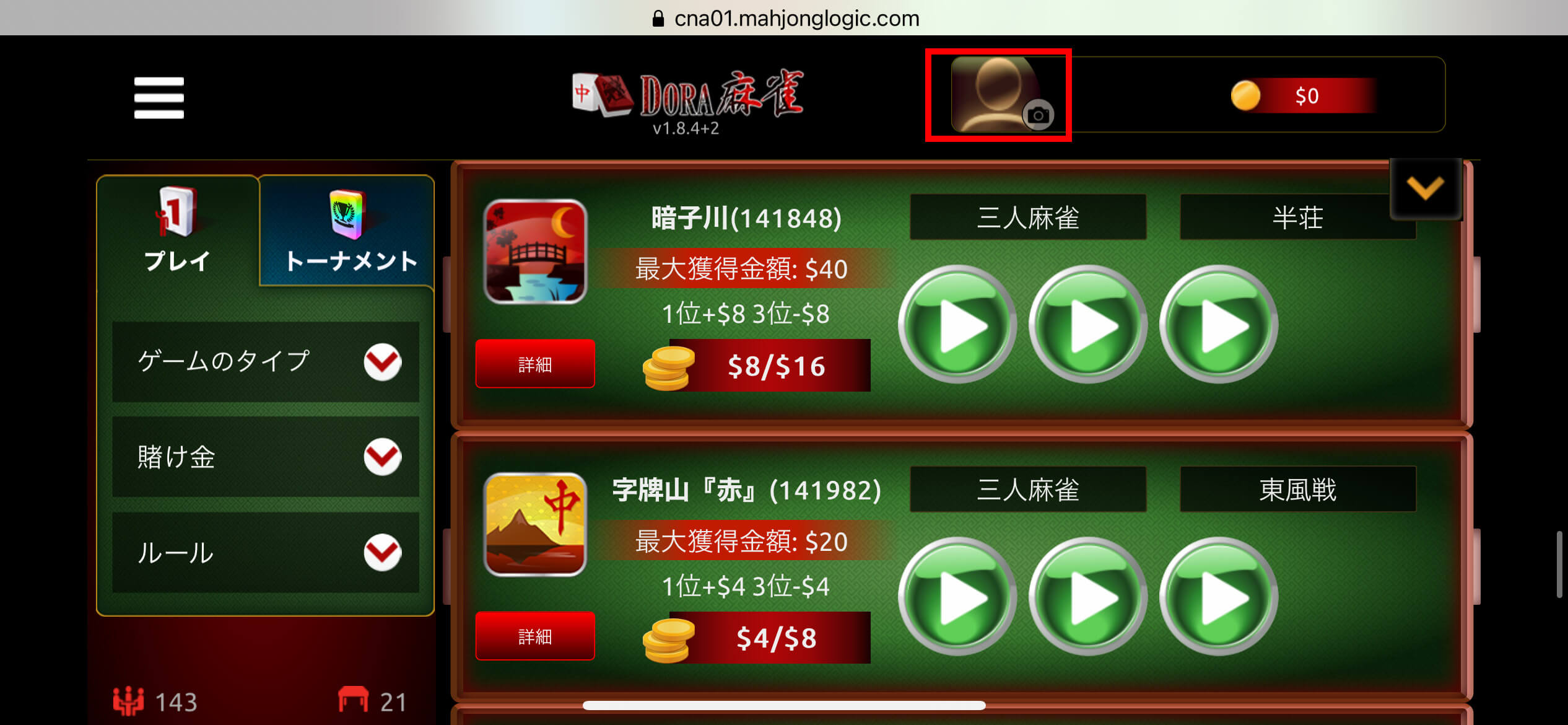
Click on your avatar in the top right corner of the home screen to go to "My Profile"
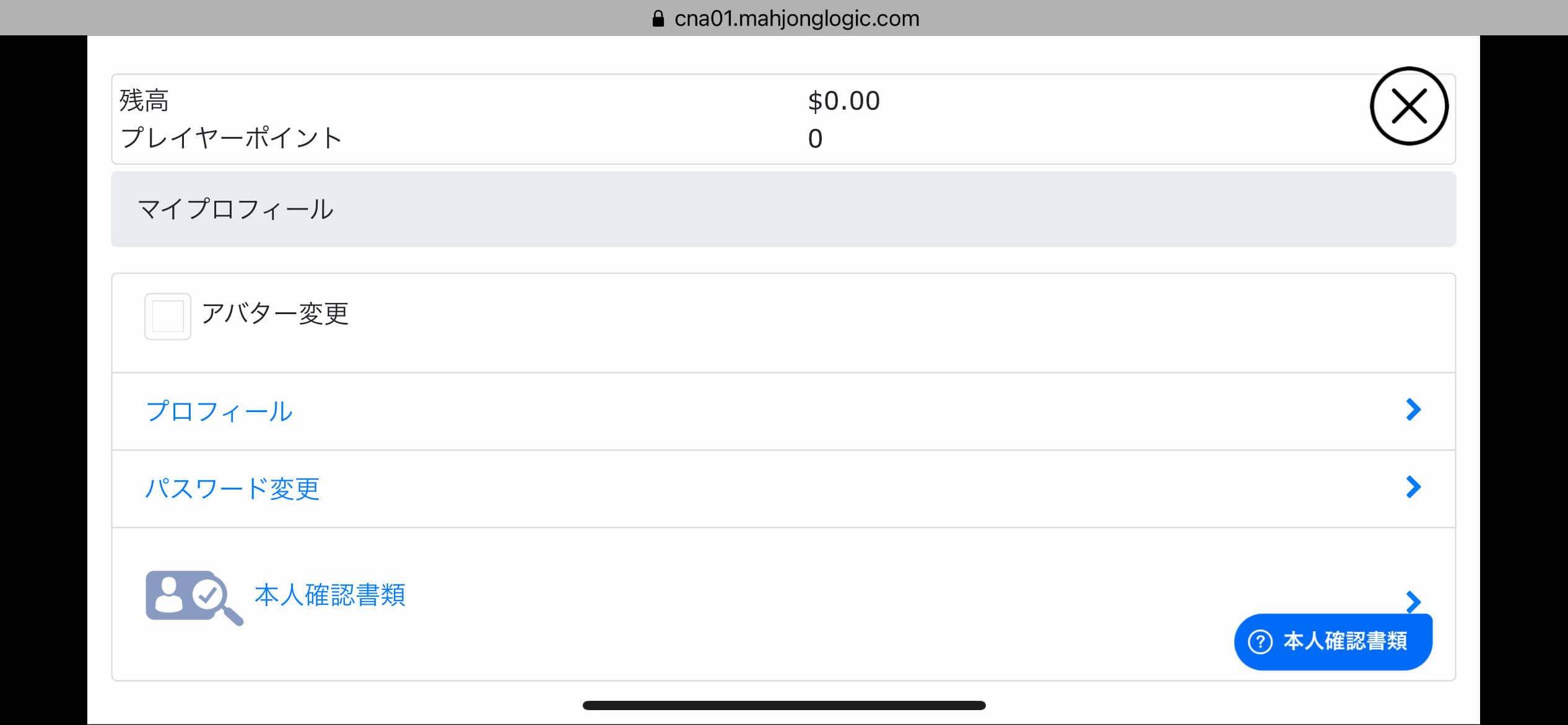
On the My Profile page, you can change various settings and upload identification documents.
<Improved arrangement of tiles on the score screen (when the game ends in a draw)>
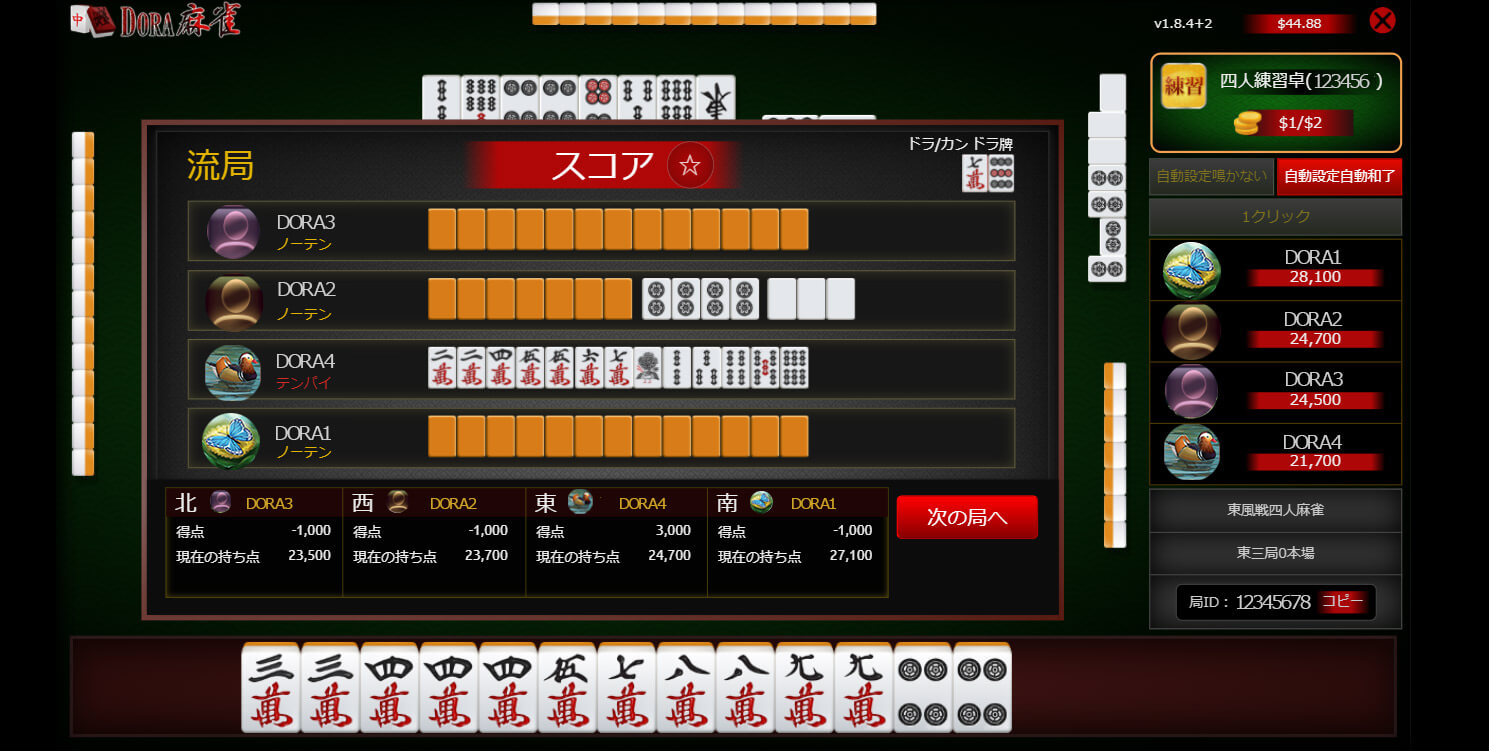
The arrangement of tiles on the score screen when the game ends in a draw has been improved, making it easier to see than before.
Release to production: January 17, 2025
Version: v1.8.3+4

- <Common to PC browser and mobile versions> [Fixes and improvements] Improved turning over of tiles during concealed kong, and other minor fixes
Release to production: June 6, 2025
Version: v1.8.3+1

- <Common to PC browser and mobile versions> [Fixes and improvements] Fixed some of the text display in the game
Release to production: December 8, 2020
Version: v1.8.2+4
- <PC browser version> [Fixes/Improvements] Fixed bugs in the game's sound
- <PC browser version> [Fixes/Improvements] Fixed some of the text display in the game Release to production: November 12, 2020
Release to production: June 6, 2025
Version: v1.8.2+3
- PC browser version> [New feature] Added a function that makes tiles appear when you move the cursor over a tile in your hand during one-click play selection

Release to production: 2025/06/13
Version: v1.8.2+2

- <Mobile version> [Fixed/Improved] The operation of discarding a tile has been changed from one click to two clicks.
- <PC browser version> [Fix/Improvement] Hide the pop-up that appears after logging in
Release to production: 2020/12/26
Version: v1.8.2+1

With this update, the HTML5 version will be officially released!
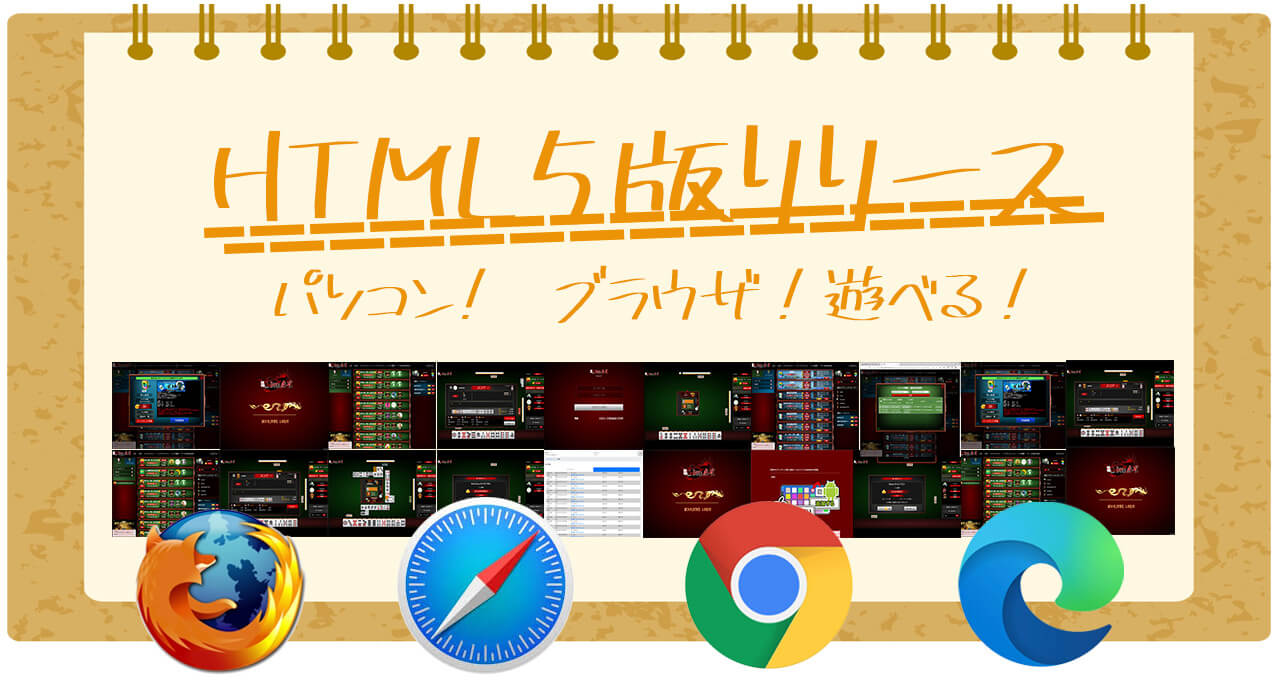
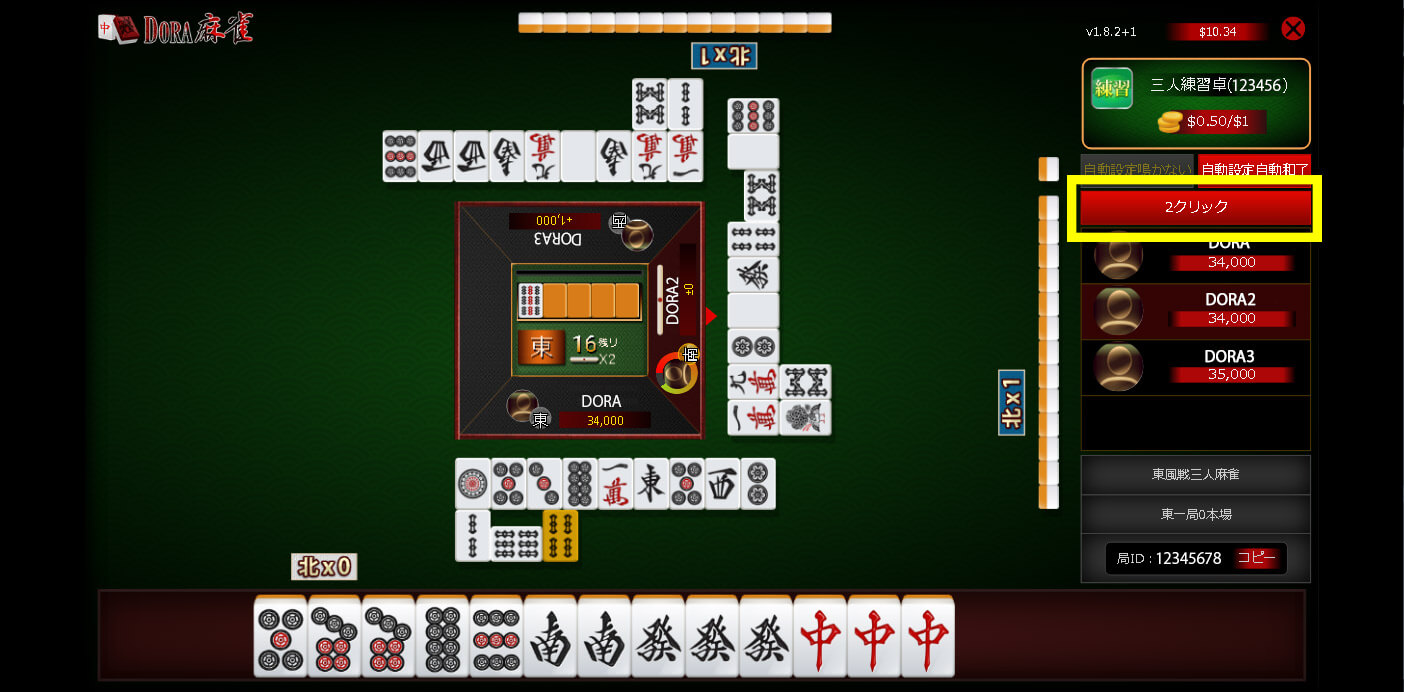
- PC browser version - Tile selection function>
- [1 click] You can discard a tile immediately with one click.
- PC browser version> [Fix/Improvement] Hide the pop-up that appears after logging in
- Mobile version> [Fixed/Improved] The operation of discarding a tile has been changed from 2 clicks to 1 click
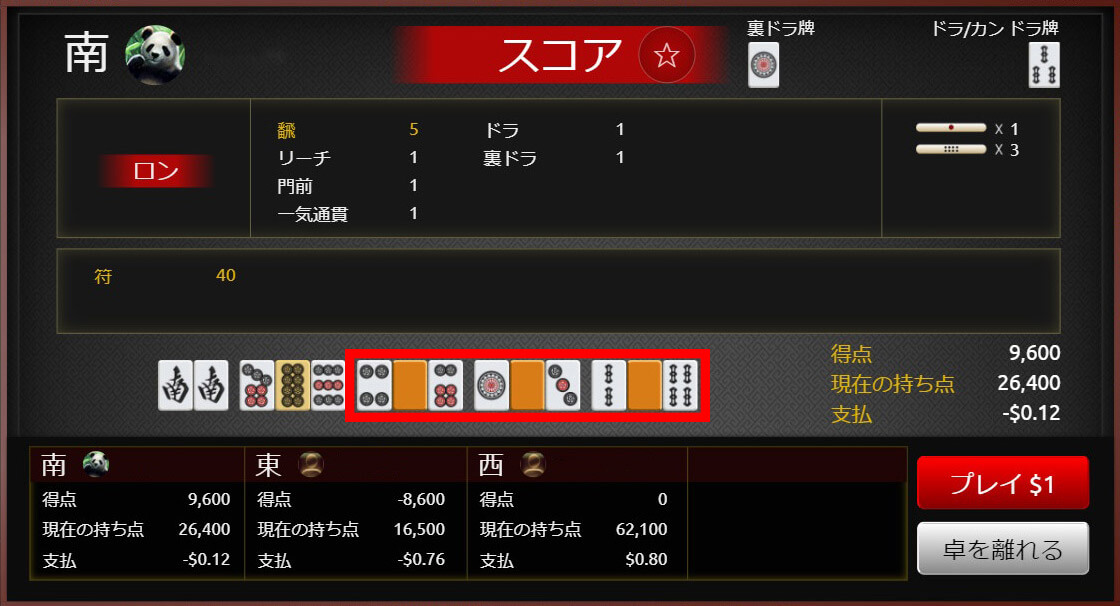
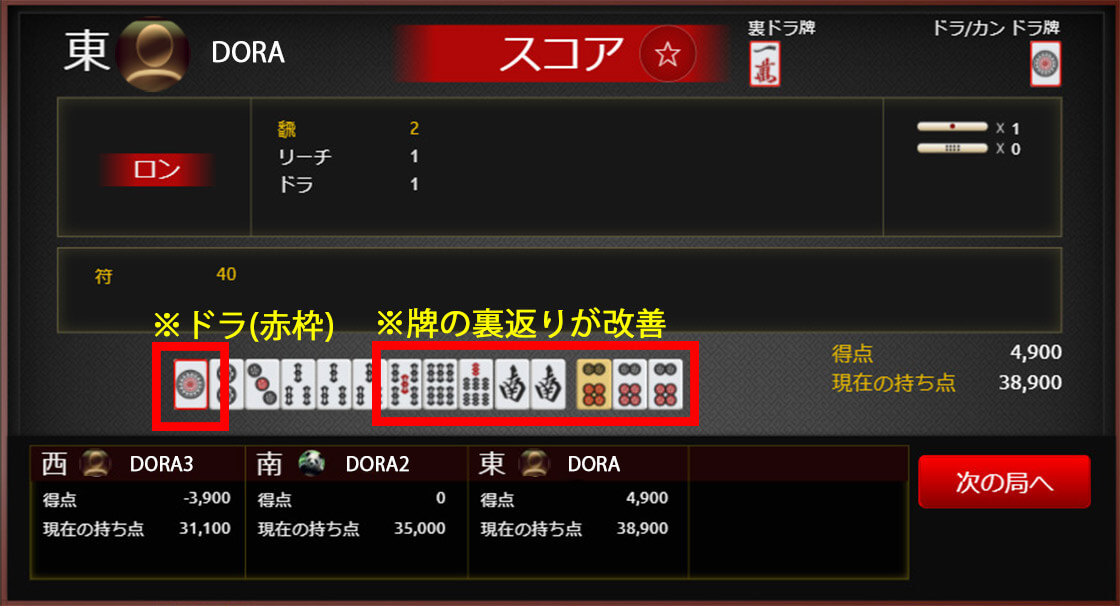
- Common to PC browser version and mobile version> [New feature] Dora is surrounded by a red frame on the score screen [Fix/Improvement] Improved flipping of tiles
<PC browser version - Tile selection function>
[1 click] You can discard a tile immediately with one click.
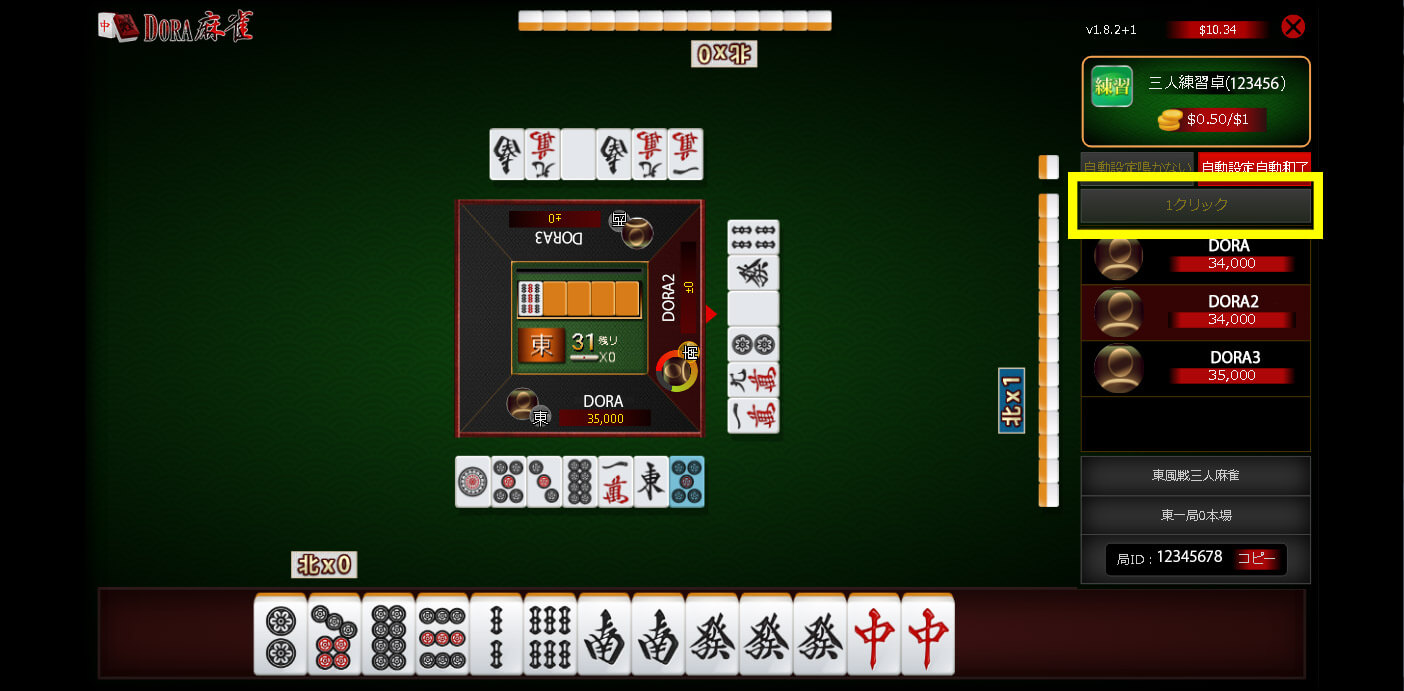
[2 clicks] You can select a tile with one click and discard it with a second click.
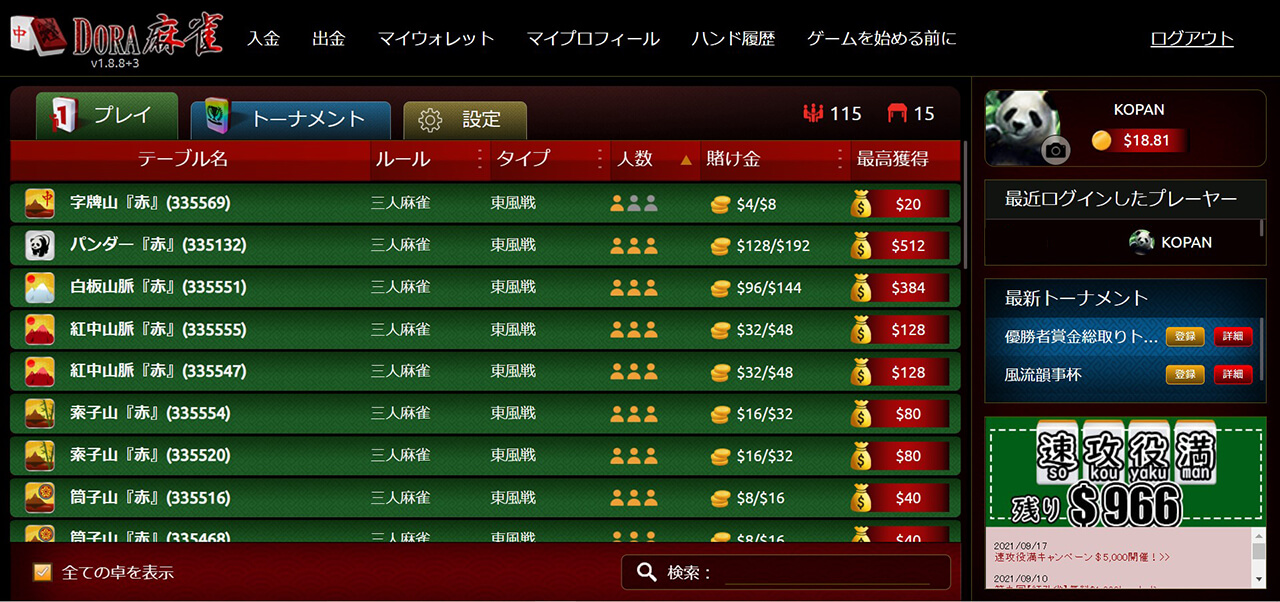
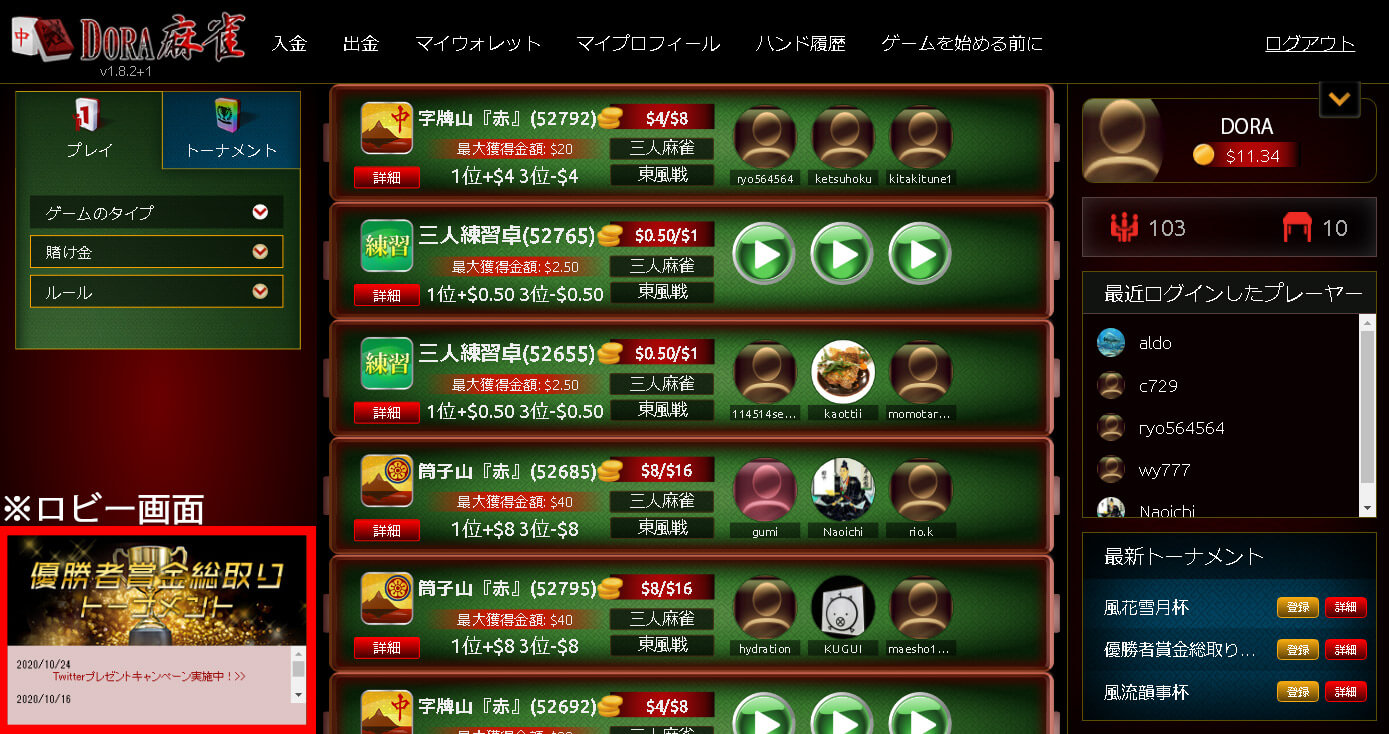
<Installation of the PC browser version lobby screen>
<Common to PC browser version and mobile version>
In the previous score screen, tiles were displayed upside down.
In this version, the way tiles are turned over has been improved, and Dora tiles are now surrounded by a red frame, making them easier to identify.
Release to production: 2010/10/26
Version: v1.8.1+7

- <PC browser version> [New feature] New design of the game screen implemented
- <Mobile version> [New feature] Added text when the screen is vertical when starting a game or spectating
- <Common to PC browser and mobile versions> [New feature] Coloring of discards and hand deals during the game
- [Fixes and Improvements] Improved the call screen and hand history
<PC browser version game screen>
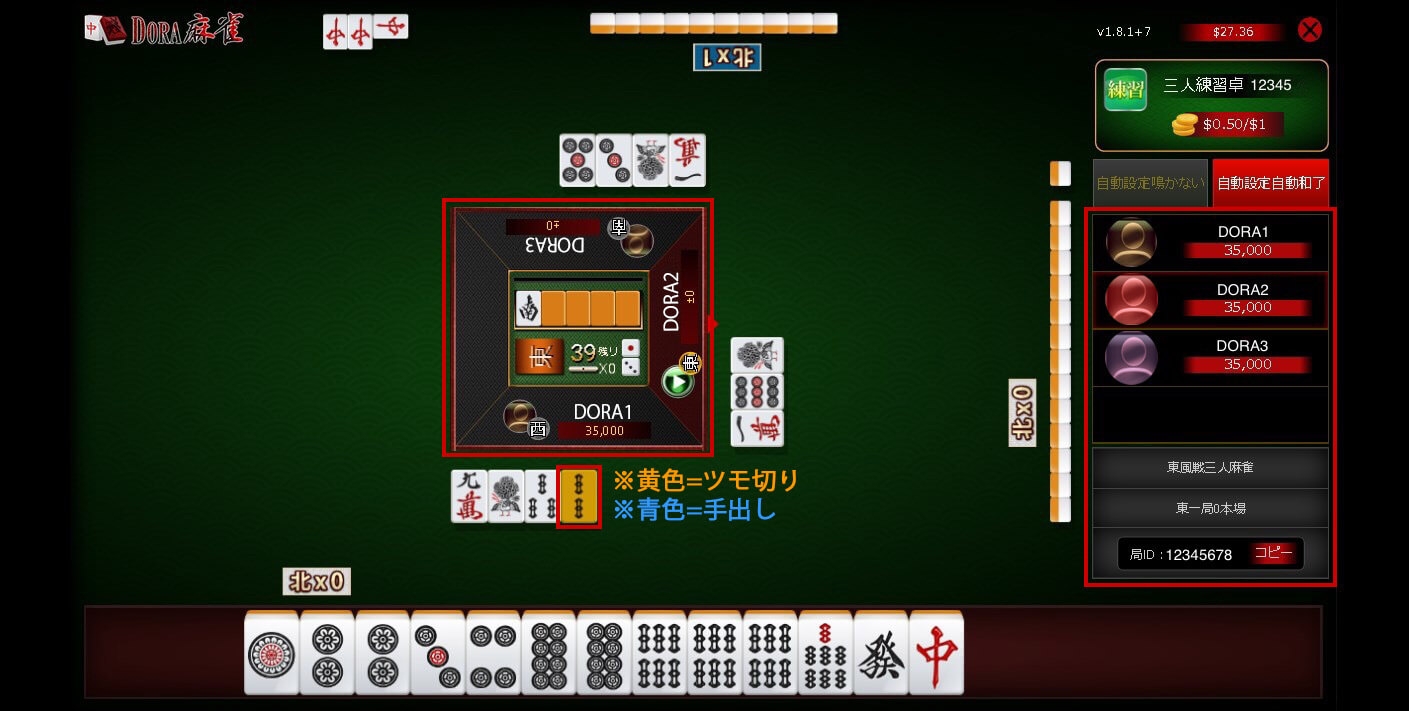
Release to production: November 24, 2020
Version: v1.8.0+9
-
- New Feature] PC browser version (Beta version) now available!
If the software download version does not launch properly, you can use the browser beta version. With the release of this beta version, Mac users can now play on PC.
Release to production: 2011/06/25
Version: v1.7.11
-
- New Feature] Hand History: New Version
The way to check your hand history has been improved and is now easier to view than ever before! Select your hand ID (the 8 digits on the far right) from the hand history list to play back the hand history.
- [Fix/Improvement] Lobby table list: Change the display position of rules and table names
- [Fixed/Improved] Notification pop-ups will now be displayed 30, 20, and 15 minutes before the tournament starts
- Fixed/Improved] Tournament results page: Display players with the most points from top to bottom
- Fix/Improvement] Improved to make it easier to press the close (X) button
- Fix/Improvement] Display the notification page after logging in once a day
Release to production: 2010/03/16
Version: v1.7.10

- Fixes and Improvements] Overall system fixes and improvements
Release to production: 2020/02/20
Version: v1.7.8

- Fixes and Improvements] Overall system fixes and improvements
Release to production: 2020/01/10
Version: v1.7.7

- [Bug fix] Improved display and behavior when sitting at a table
Release to production: 2019/11/12
Version: v1.7.6
- [Bug fix] Tournament display improvement
Release to production: 2019/11/28
Version: v1.7.5

- [New Feature] If a table display filter is applied in the lobby, it will be displayed so that you can see the table even without opening the filter.
- [New Feature] Unification of icons
- [Bug fixed] When playing South in a 4-player Mahjong half-game, the Southeast chip remains East.
- [Bug fixed] If the screen name was long, it would sometimes go beyond the display range.
Release to production: 2019/11/17
Version: v1.6.19

- [New Feature] Tournament feature implemented
- [New feature] Wait and play at multiple tables
Release to production: 2019/10/25
Version: v1.6.16

- [New Feature] Full screen function for game table
- [Fixed/Improved] When multiple players join the table at the same time, the game may not start.
Release date: 2019/04/10
Version: v1.6.12

- [New feature] Removed some of the sounds and the cancel button
- [Fix/Improvement] The bottom part of the login screen was cut off and not displayed.
Release date: 2019/04/07
Version: v1.6.10

- [New Feature] Improved screen display during gameplay
- [New Feature] Improved design of mobile withdrawal page
- [New Feature] Improved table list display rules
- [Fixed/Improved] When the screen name setting screen was displayed horizontally, the bottom of the screen was not displayed and was cut off.
- [Fix/Improvement] If the player name was long, it would hang over when sitting at a table in the lobby.
- [Fix/Improvement] Fixed a bug in the text display of the description on the table details page.
Release to production: 2019/06/26
Version: v1.6.9

- [New Feature] Changed the Dora logo to a better resolution image (connecting, login, lobby screen)
- [New Feature] Added an icon to the bottom right of the lobby to let you know you can scroll down
- [New Feature] Added a volume control bar to the Settings (▼) menu in the upper right corner of the lobby.
- [Fixed/Improved] Screen name is not reflected on the screen only when logging in for the first time (after setting screen name).
- [Fix/Improvement] Added display of available characters to the screen name setting error screen
- [Fixed/Improved] The automatic setting (no calls, automatic winning) button could be pressed while watching the game.
Release date: June 3, 2019
Version: v1.6.8/v1.6.7
- [Fix/Improvement] The number of han was displayed as 0 on the winning screen for Yakuman.
- [Fixed/Improved] Android: Disable swipe down operation (to prevent page refresh → forced logout)
- [Fixed/Improved] The "Bet" and "Game Type" menus did not open when the smartphone was in portrait mode.
Version: v1.6.6
- [New Feature] Full screen support for lobby screen
- [New Feature] Lobby table display settings (sorting, rules, bets, game type) are maintained when logging out and back in
- [New Feature] Introducing new sound effects
- [Fixes/Improvements] Improved the display of the pull-down menu in the lobby (horizontal screen).
Version: v1.6.5
- [New Feature] Automatic winning is set to ON by default when starting a game.
- [Fixed/Improved] During the first round, there were times when I couldn't tap the first time before my turn came.
Release to production: 2019/09/05
Version: v1.6.4
- [New Feature] You can now make your first tap before your turn comes.
- [New Feature] The wind direction (east, south, west, north) is now displayed to the left of the player on the winning and settlement screens.
- [Fixed/Improved] The number of logins in the lobby and the number of players at the table were different between mobile and PC. (Mobile was wrong)
- [Fixed/Improved] The correct table icon is now displayed on the lobby details page and game screen
Release date: 2019/08/05
Version: v1.6.3
- [Fix/Improvement] Fixed an issue with avatar display in the lobby
Release to production: 2019/04/26
Version: v1.6.2
- [Fixed/Improved] After registering and logging in for the first time, the screen for setting a screen name is displayed, but a pop-up appears immediately, and if you close it, you are logged in as is, so you cannot set a screen name.
- [Fix/Improvement] Fixed so that when you close the popup, you will return to the screen name setting screen.
- [Fixed/Improved] When making a reach, 1000 points were not subtracted from the points displayed under the player name on the right side.
Release to production: 2019/04/25
Version: v1.6.1
- [Fixed/Improved] The X Honba notation at the top of the game screen has changed from 5 Honba to Honba.
- [Fixed/Improved] During the game, there was no indication when there were 0 hands. ▶ Added indication of 0 hands
- [Fixed/Improved] If you opened [Register] and [Forgot your password?] from the login screen and pressed the close (X) in the upper right before completing, the following screen would be displayed:
- [Fix/Improvement] Fixed so that pressing the close button will return you to the login screen